Homing and mastering
Stepper motors without encoders know nothing about where they are when the power comes on. Two procedures give PAROL6 its position: homing, every time, and mastering, once per robot.
Homing
Each joint drives to a switch or sensor whose position in the mechanics is known from the CAD model, then moves a fixed number of steps from there to the after-homing pose. After that the firmware's step counters hold the joint positions, and every move is counted from them. The process is the one 3D printers use. The sequence and what can go wrong are in the Robot Manual's Homing.
In the software: the commander's Home button, the API's home(). The API tracks whether the robot is
referenced and refuses planned motion before it (MOTN_NOT_HOMED); a home() on a referenced robot is a
planned joint move back to the after-homing pose, and home(calibrate=True) runs the firmware's sequence again.
Mastering
The fixed number of steps from the switch to the after-homing pose is measured on the reference robot. Printers and switches vary, so on another robot the homed pose is a fraction of a degree off per joint. Mastering measures the error with the witness marks, pins through holes in neighbouring links that line up in the after-homing pose, and corrects the number in the firmware (Mastering).
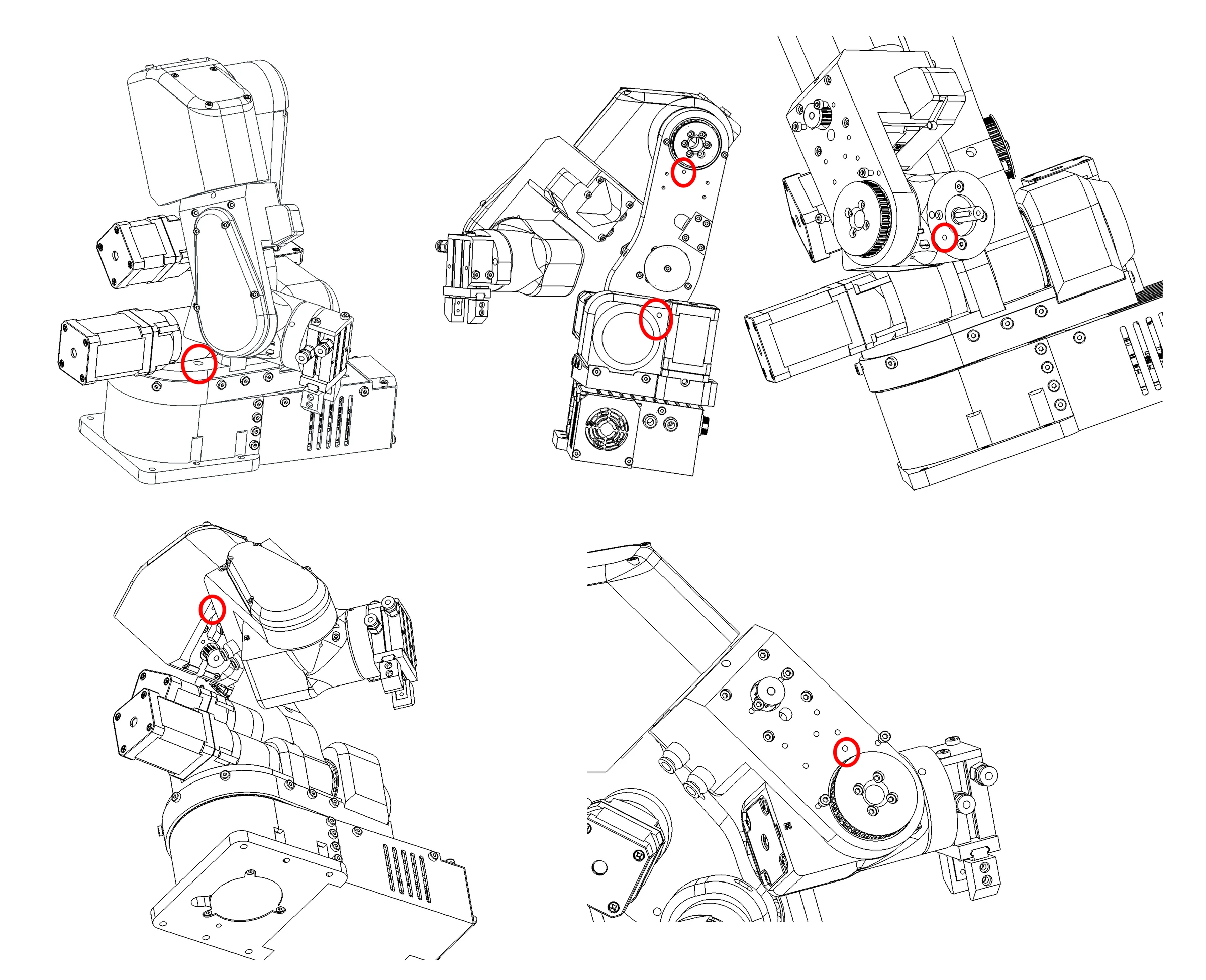
Mastering affects the absolute accuracy, whether the pose the software reports is the true pose. It does not affect the repeatability, whether the robot returns to the same place every time, which comes from the mechanics and the switches alone. A program taught on an unmastered robot runs correctly on that robot; it runs offset on another.
When the position is lost
A collision, a stall, a move by hand or a power failure breaks the count, and nothing in the robot can tell. Home again. A program that must not run with a wrong position checks something external before it starts: a sensor on an input, a camera, a touch.
Comments
Found a mistake on this page? Edit it on GitHub · Report it · Get help · This page as Markdown · llms.txt · The whole manual as PDF