Planning the cell
A robot cell is the robot, what it works on, and the people around it. For a PAROL6 on a bench the plan fits on a page, and it is worth writing.
The person
One person runs the robot and sees all of it. Nobody else reaches into the workspace while it is enabled. The E-stop is within that person's reach, and so is the power supply's switch.
The space
The space to keep free is everything the arm, the tool and the part in the gripper can sweep, not only where the tool centre point goes. The TCP reaches 434 mm from the axis of joint 1 with the pneumatic gripper and 494 mm with the MSG, and the elbow swings behind the base when the arm folds back (Workspace). Add the part and a margin:
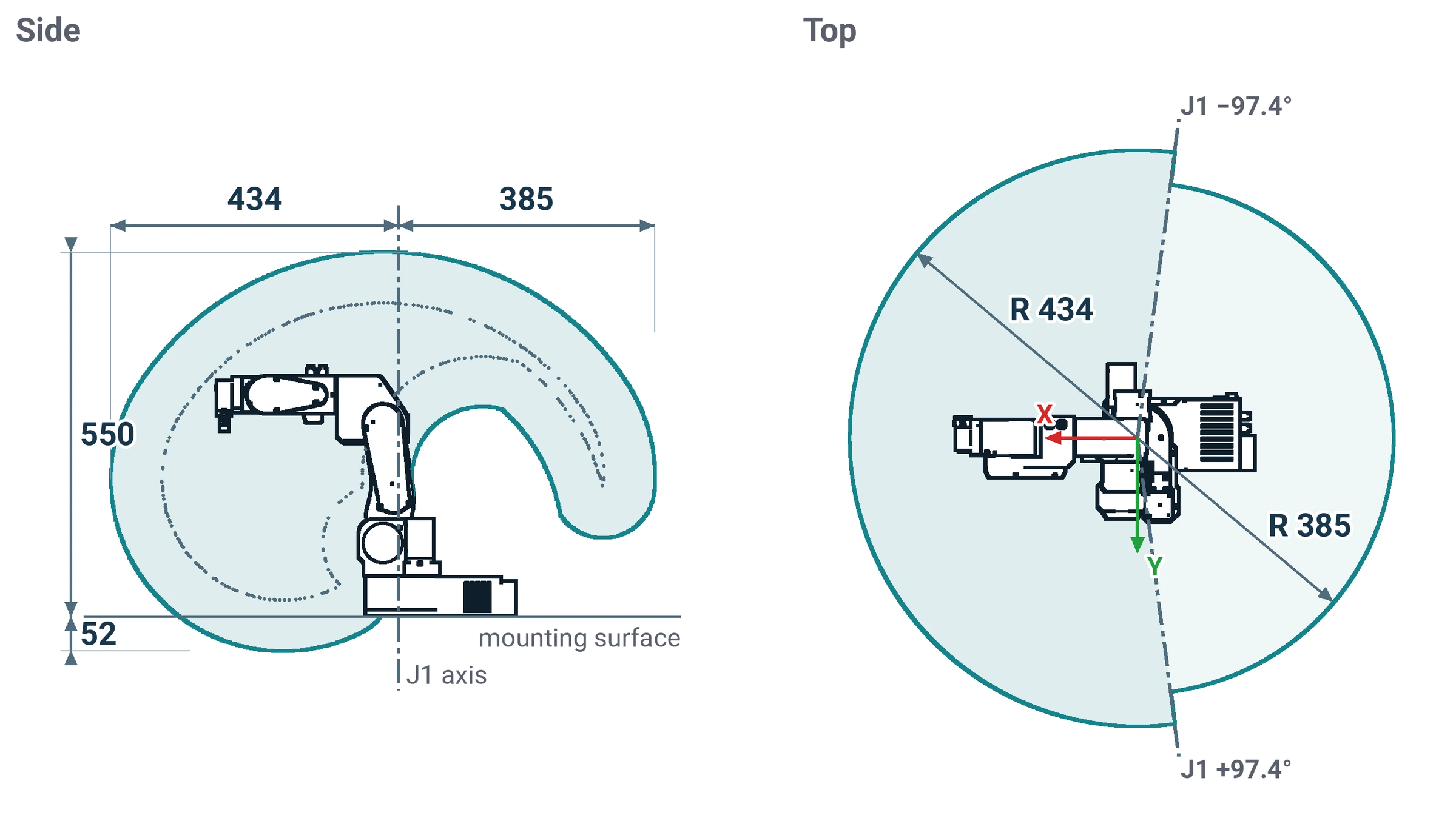
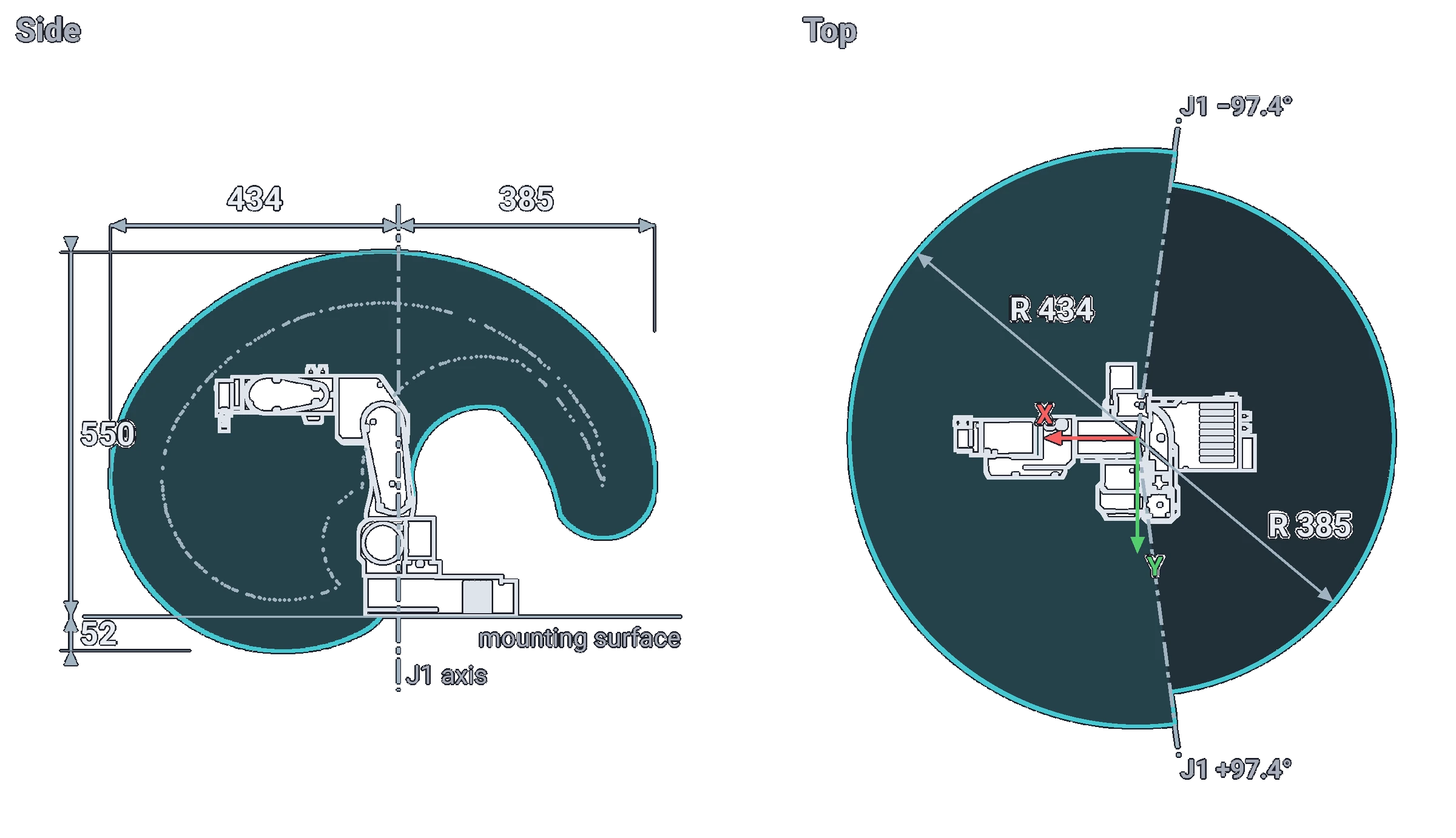
- A sphere of about half a metre around the base with the pneumatic gripper, about 0.6 m with the SSG-48 or the MSG, and more for a long part.
- Nothing fragile inside it, and nothing that the arm could knock onto the floor.
- The cables and tubes outside the sweep, or fixed so the arm cannot catch them.
- For a robot that runs unattended or near others, an enclosure: acrylic panels on the profile frame are enough to keep hands out; the robot cannot break them.
The program
- Run every new program in the simulator first, at full speed, and watch for the arm folding into the base or the table.
- Start on the real robot at low speed: in the commander, low
v=or longt=in the moves (the speed slider only scales jogging); in the Python API, thespeedfraction of each move. - Make the first move of a program go from the after-homing pose to a known pose, so that a program started right after homing always begins safely.
- Use
Delay()and the inputs to wait for the world, rather than assuming it.
The tool and the parts
- The payload includes the tool. A gripper and a camera together can be most of the 0.5 kg the arm carries at full reach.
- A pneumatic gripper needs 5 to 7 bar (check your gripper's rating) and a valve wired to an output; the valve's two tubes decide whether it is normally open or closed (Pneumatics).
- Know what the gripper does at an E-stop and at a power loss. The E-stop leaves the gripper as it is: an electric gripper keeps its grip, and a pneumatic or vacuum gripper stays where the valve left it. When the power or the air goes, the vacuum gripper drops its part.
When something changes
Changing the tool, the base, the table height or the fixture changes the kinematics and the clearances. Update the tool in the software, check the limits with a slow jog, and run the programs in the simulator again.
Comments
Found a mistake on this page? Edit it on GitHub · Report it · Get help · This page as Markdown · llms.txt · The whole manual as PDF