Moving the robot by hand
An unpowered PAROL6 can be moved by hand: the joints turn against the friction of their gearboxes and belts, and the arm has no brakes to release. This is how you pose it for packing and how you lift it. Two rules:
Never more than one turn, except joint 6
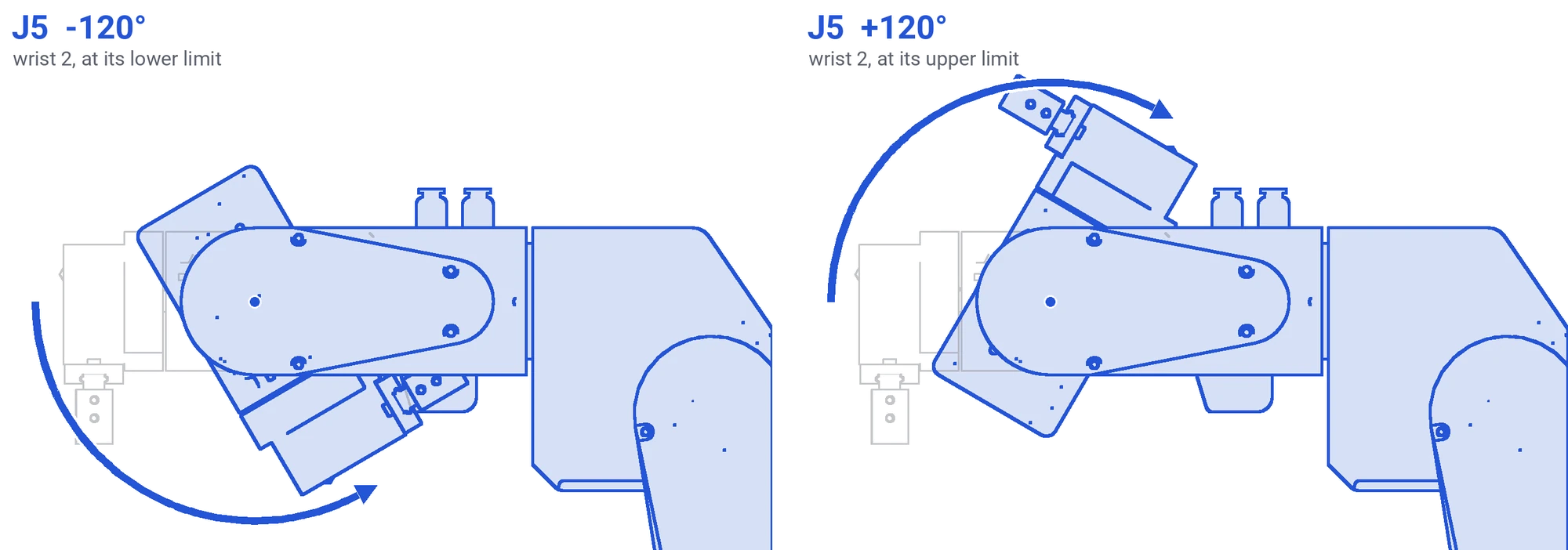
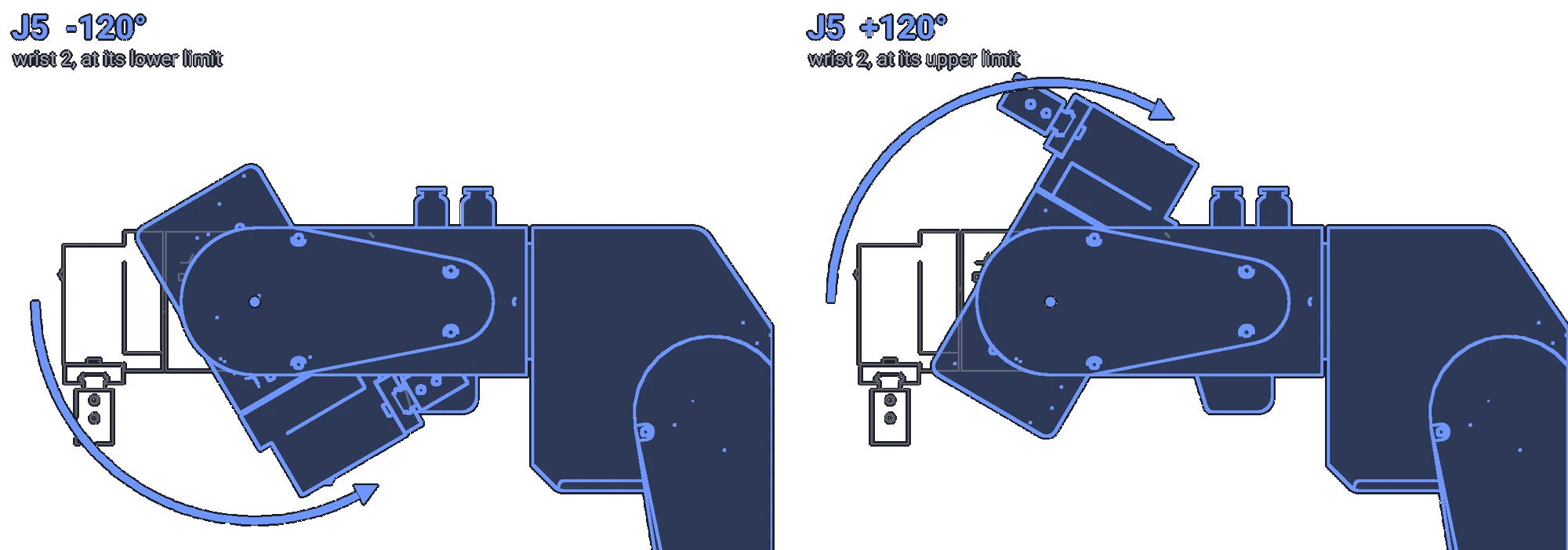
No joint may ever be turned more than one full turn, by hand or by software. Cables and pneumatic tubes run through the joints, and a second turn wraps and tears them. The one exception is joint 6: with the bare flange it can turn without limit; with a gripper or a tool, the tool's cables and tubes wrap as it turns, and they set how far it may go. Joints 1 to 5 have printed blockers that stop them; on a build without them, the rule is yours to keep.
Not while the supply is connected
A stepper turned by hand generates voltage, and a quick move can switch the board on with the arm in your hands. Unplug the power supply, or move slowly, and only toward the parked pose.
When the robot is powered
Do not force a powered joint. The motor holds it with its full holding current; what gives is a belt, a set screw or a printed part, and afterwards the position the software reports is wrong. To move a powered robot, jog it.
After moving by hand
The robot does not know it was moved: the firmware counts steps and sees none. Home again before any program or Cartesian move. The commander's position display and the simulator are wrong until you do.
Lifting
Bring the arm to the parked pose, joints 2 and 3 toward their limit switches so that the arm folds over the base, then lift by the base, not by the arm. Transport and storage has the packing.
Comments
Found a mistake on this page? Edit it on GitHub · Report it · Get help · This page as Markdown · llms.txt · The whole manual as PDF