Inputs and outputs
The control board has two isolated inputs and two isolated outputs on screw terminals at the side of the board, reachable through the base. They are isolated from the robot's electronics through optocouplers, and they share a supply that you choose.
The supply
- Isolated: connect an external supply's negative to GND_SEL and positive to HV_SEL. The inputs and outputs then work at that voltage, 12 or 24 V (the inputs need at least 12 V), and a fault on them cannot reach the robot.
- Not isolated: link the robot's own 24 V and GND to HV_SEL and GND_SEL. Simpler, and the valve of the pneumatic gripper is usually wired this way. A 2 A fuse protects the outputs in this mode.
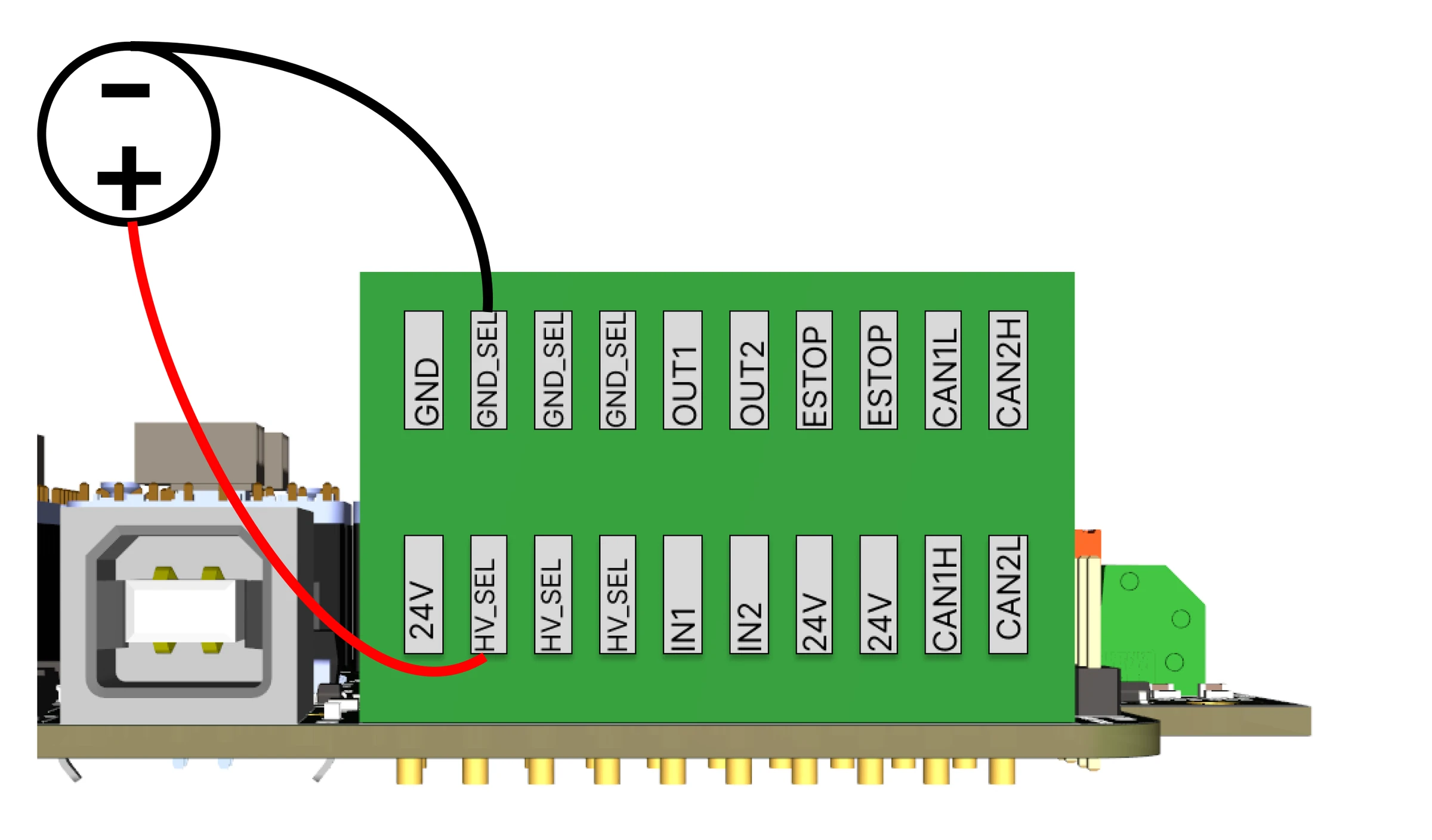
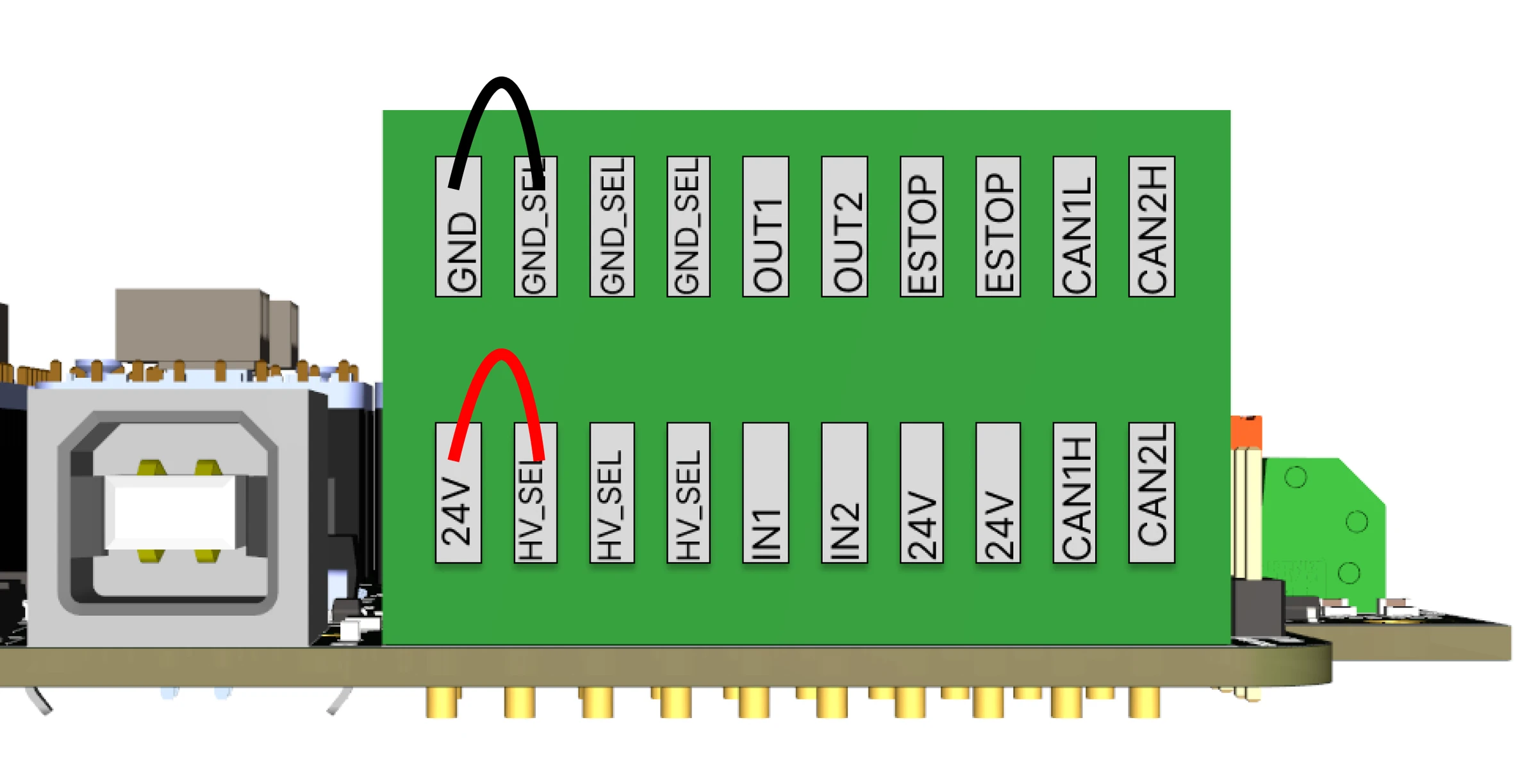
The E-stop is not part of this: it is wired to the robot's own supply whichever option you choose.
Inputs
Switches, push buttons, light barriers and sensors. A switch goes between HV_SEL and IN1 or IN2; a three-wire sensor takes HV_SEL and GND_SEL for its supply and gives its signal to the input. Input voltage 12 to 50 V, 24 V nominal.
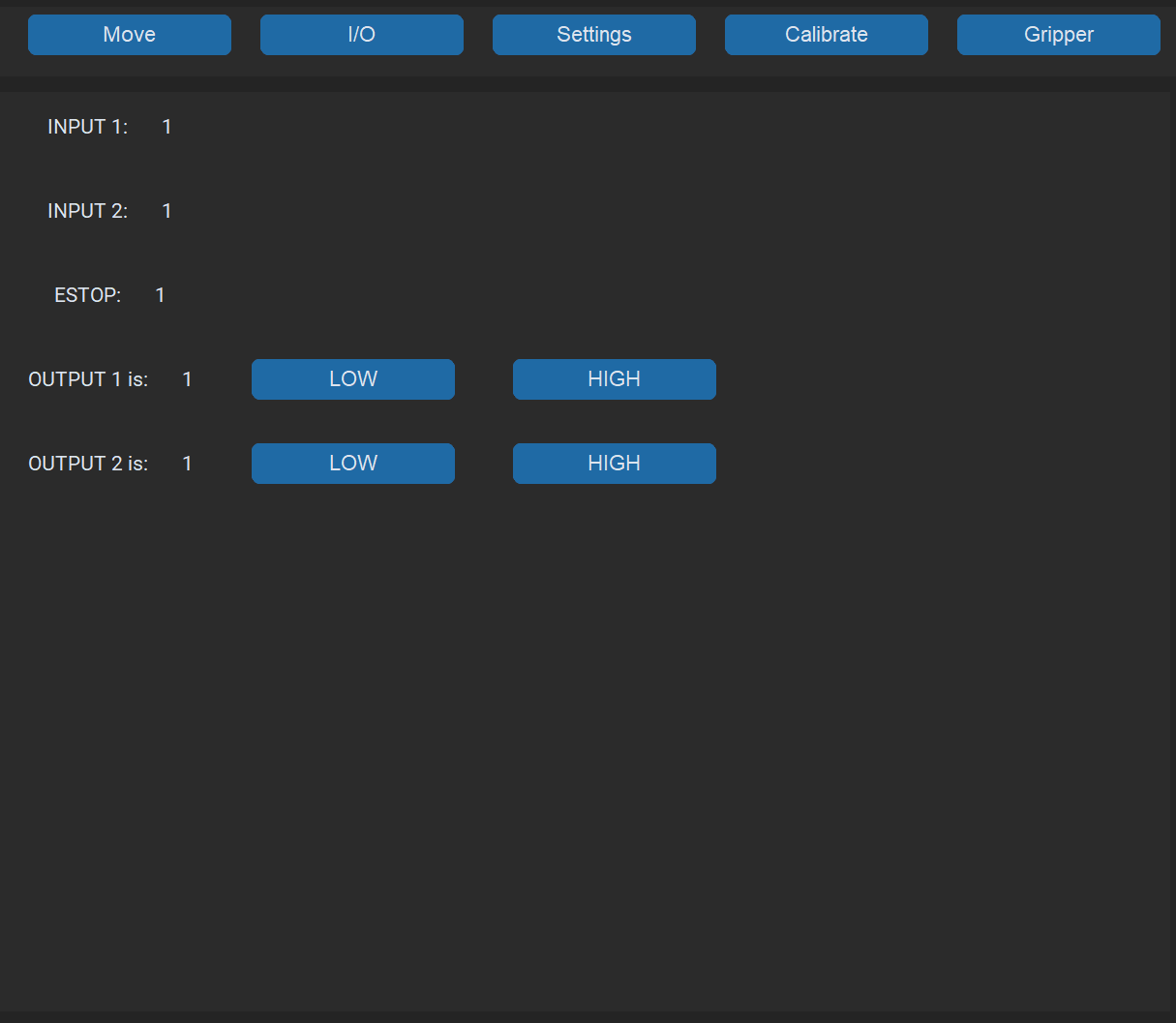
The robot reports the inputs in every packet: the commander's IO tab shows them, and the Python API's io()
returns [in1, in2, out1, out2, estop]. RBTscript's Input() has no action yet: a program stops on it
(Known issues).
Outputs
Relays, valves, lamps, small actuators, up to 0.5 A each (1 A peak), 48 V maximum. A load goes between GND_SEL and OUT1 or OUT2; the output switches it to the supply. An inductive load, a valve or a relay coil, gets a flyback diode across it.
Only output 1: in the current commander version Output(2,...) is refused by a bug in its check and stops
the program (RBTscript).
The commander's IO tab switches the outputs by hand.
Comments
Found a mistake on this page? Edit it on GitHub · Report it · Get help · This page as Markdown · llms.txt · The whole manual as PDF