Joint limits and directions
Joint numbering and positive directions
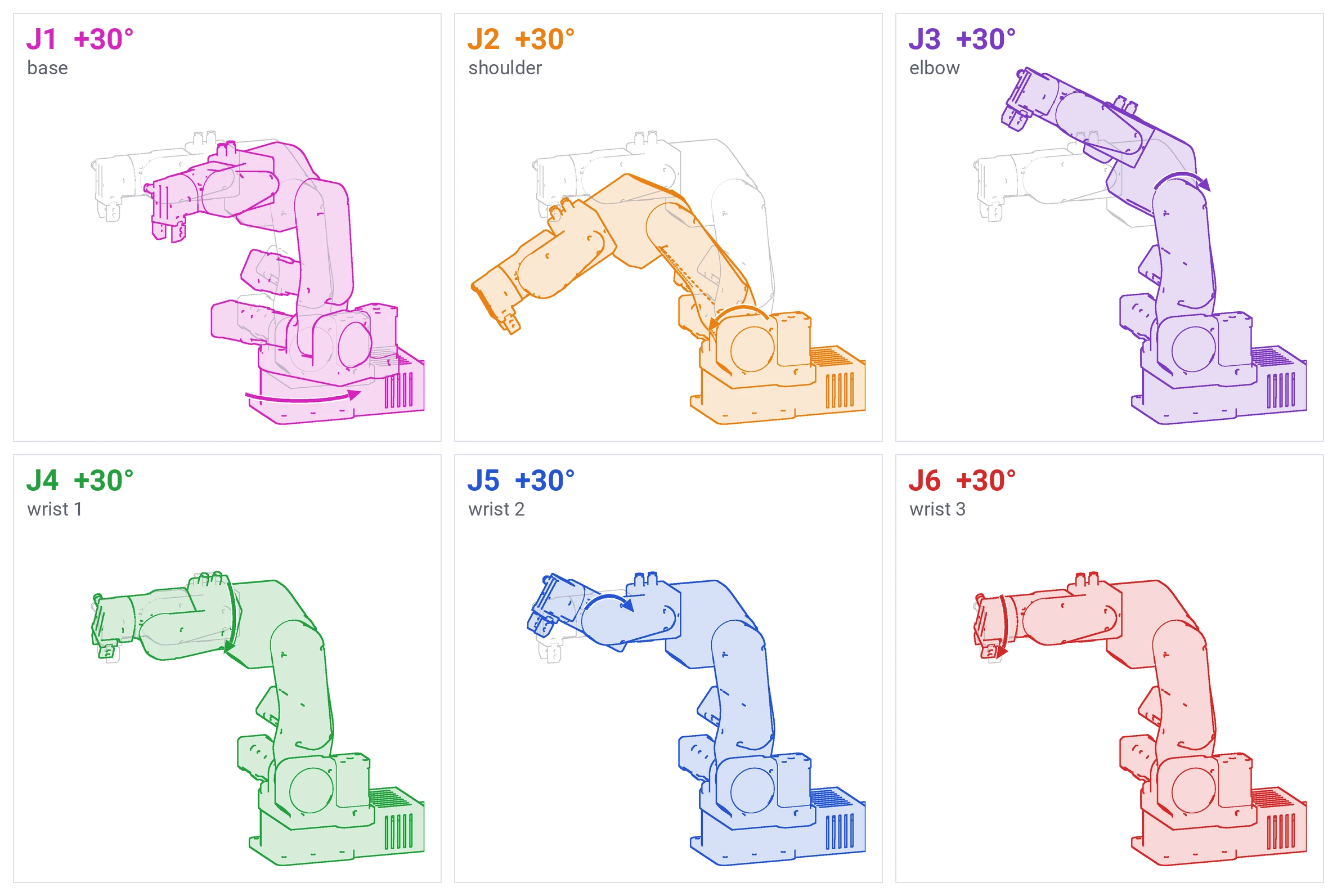
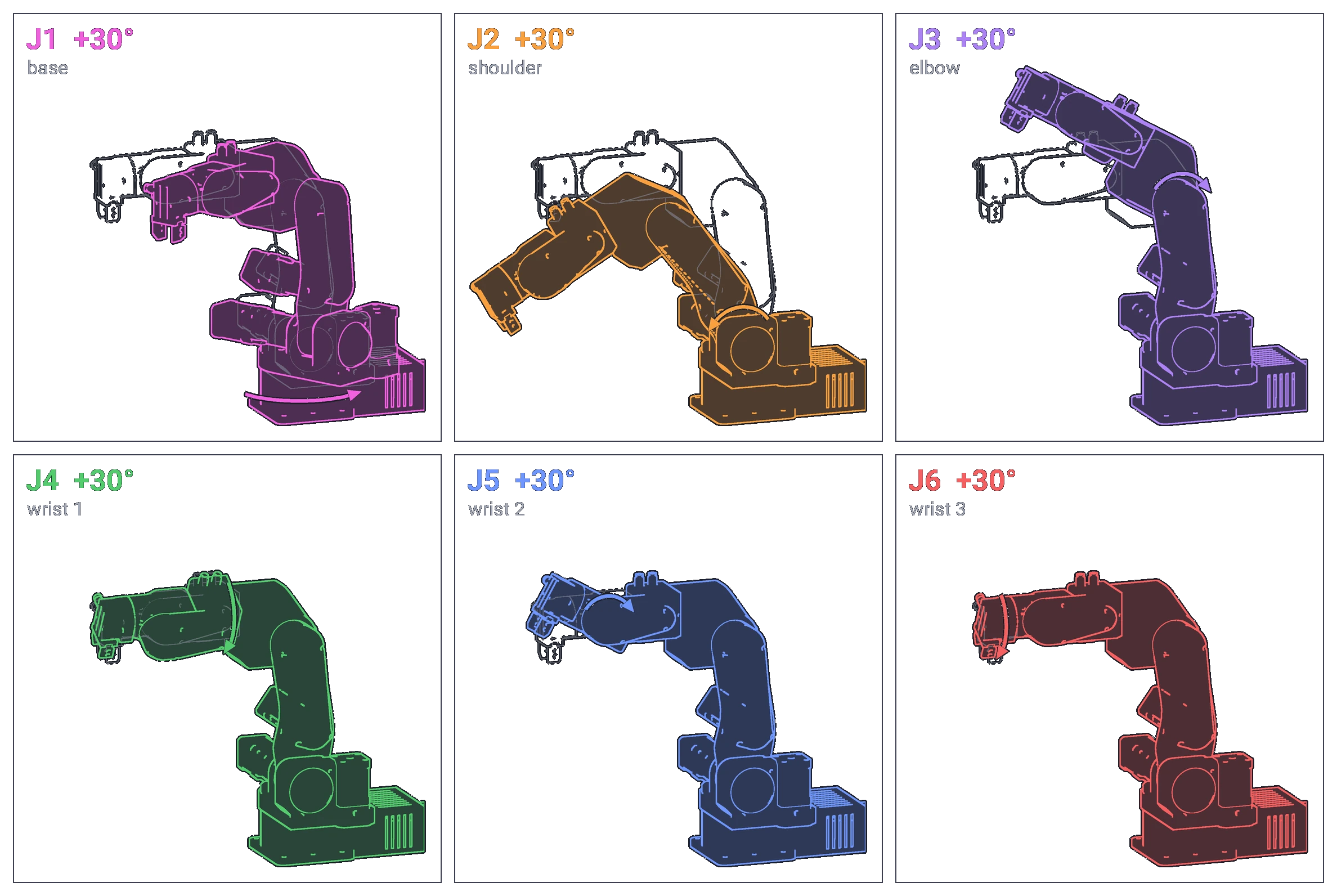
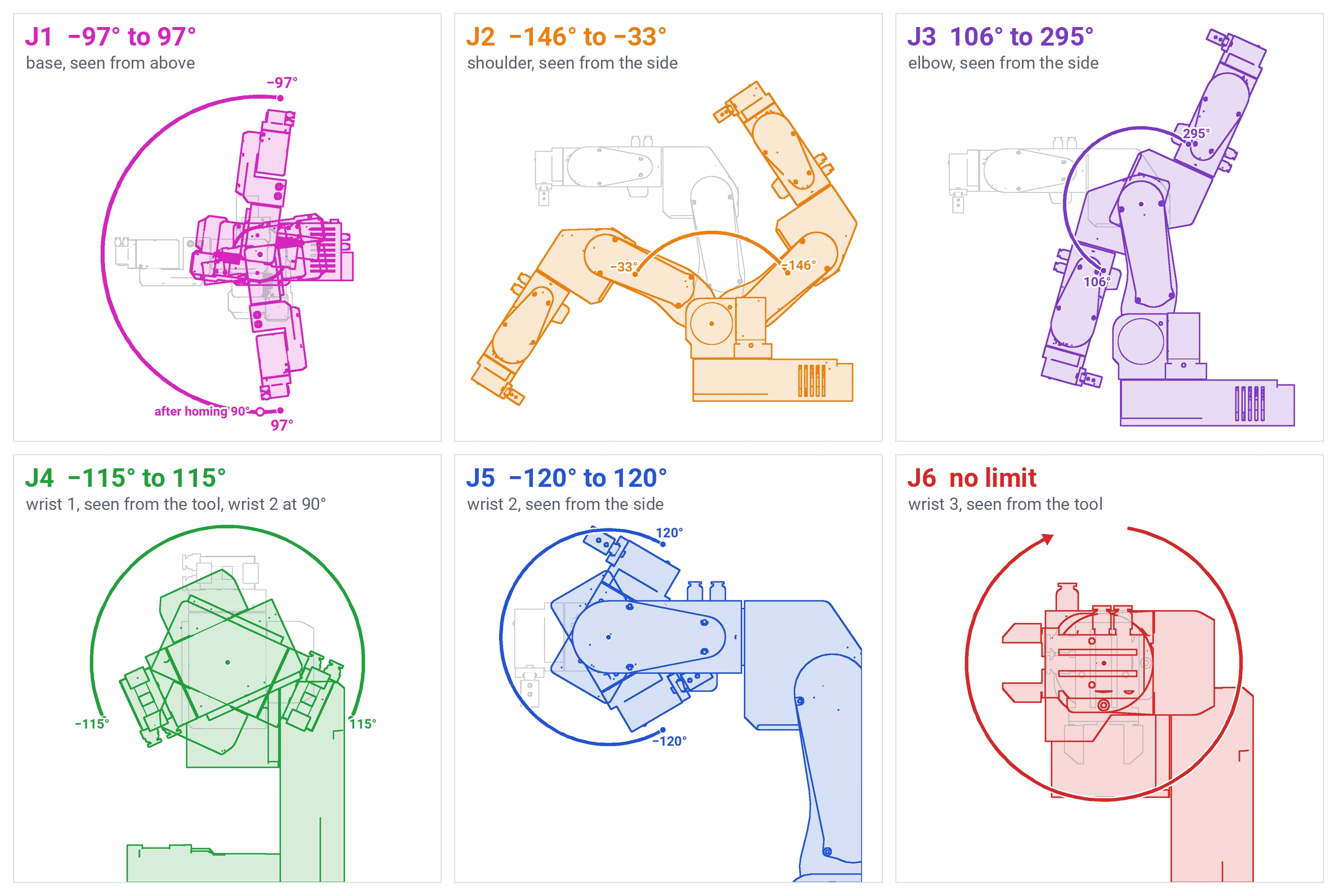
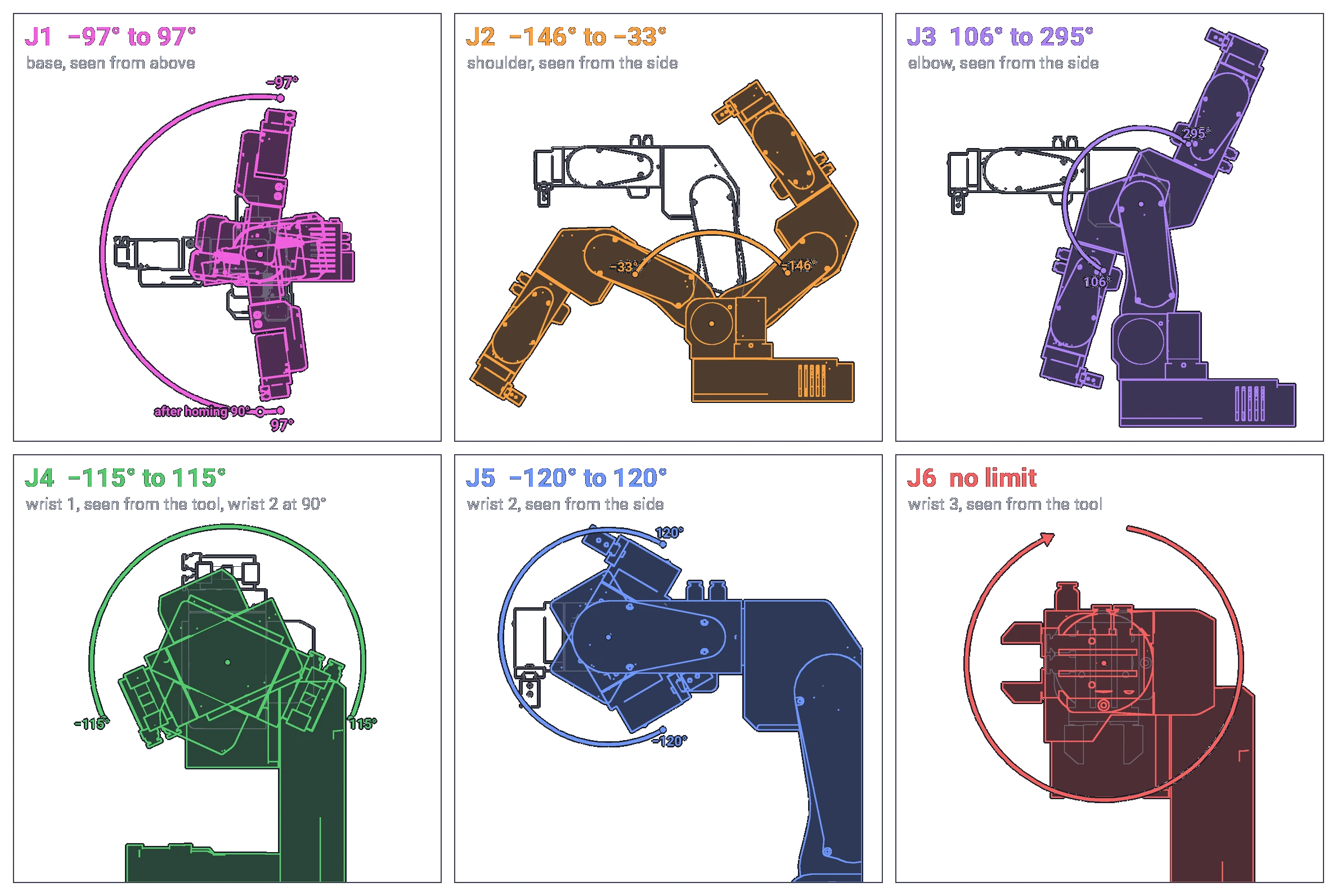
Joints are numbered from the base up. Joints 1, 2 and 3 are also called the base, shoulder and elbow joints, and joints 4, 5 and 6 wrist 1, wrist 2 and wrist 3, the names the robot model and ROS use. Each picture shows one joint turned 30° in its positive direction, in colour, over the pose in grey. The arrow at the joint points the same way, and the commander software's left arrows jog in that direction.
| Joint | Also called | Positive direction |
|---|---|---|
| J1 | base | counter-clockwise, seen from above |
| J2 | shoulder | leans the upper arm forward, the way the forearm points in the standby pose |
| J3 | elbow | raises the forearm |
| J4 | wrist 1 | clockwise, seen from the tool |
| J5 | wrist 2 | tips the tool up, in the standby pose |
| J6 | wrist 3 | clockwise, seen from the tool |
Standby and after homing
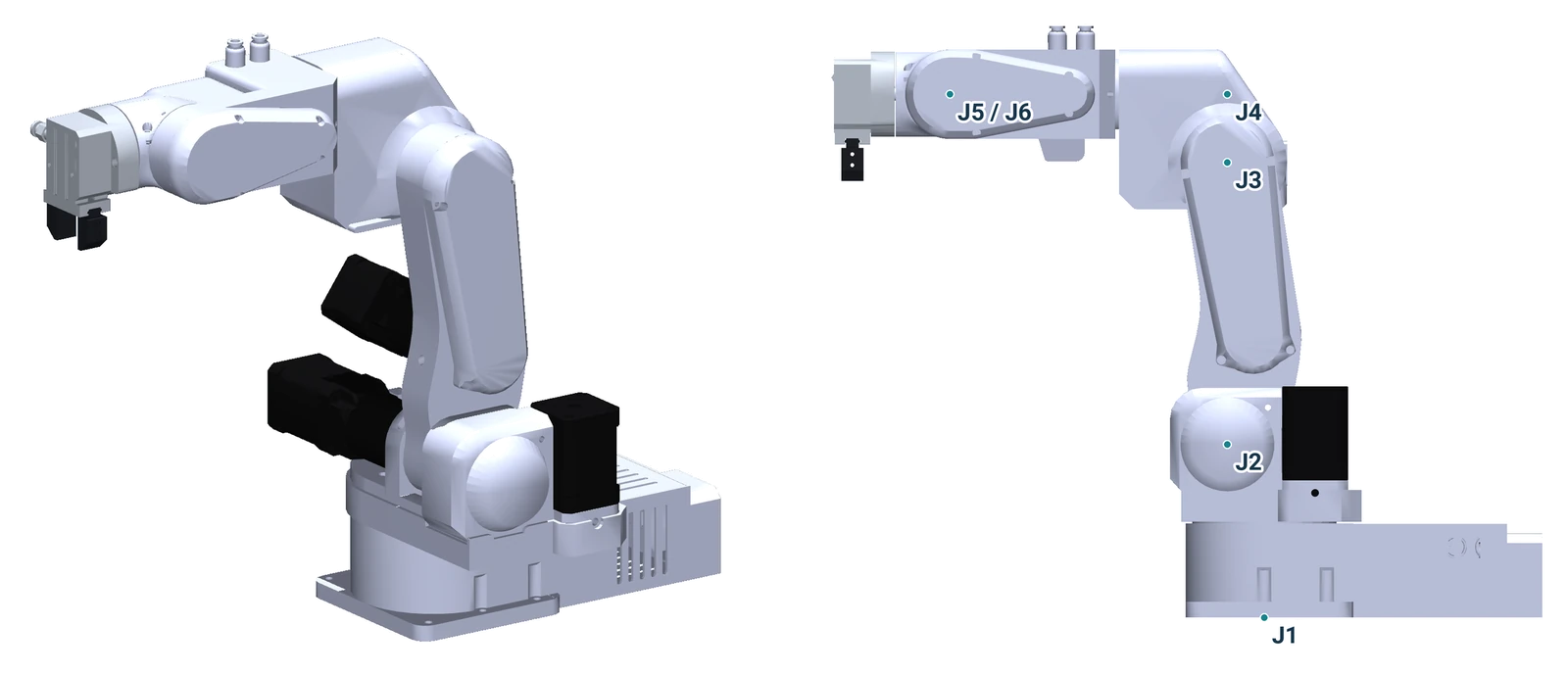
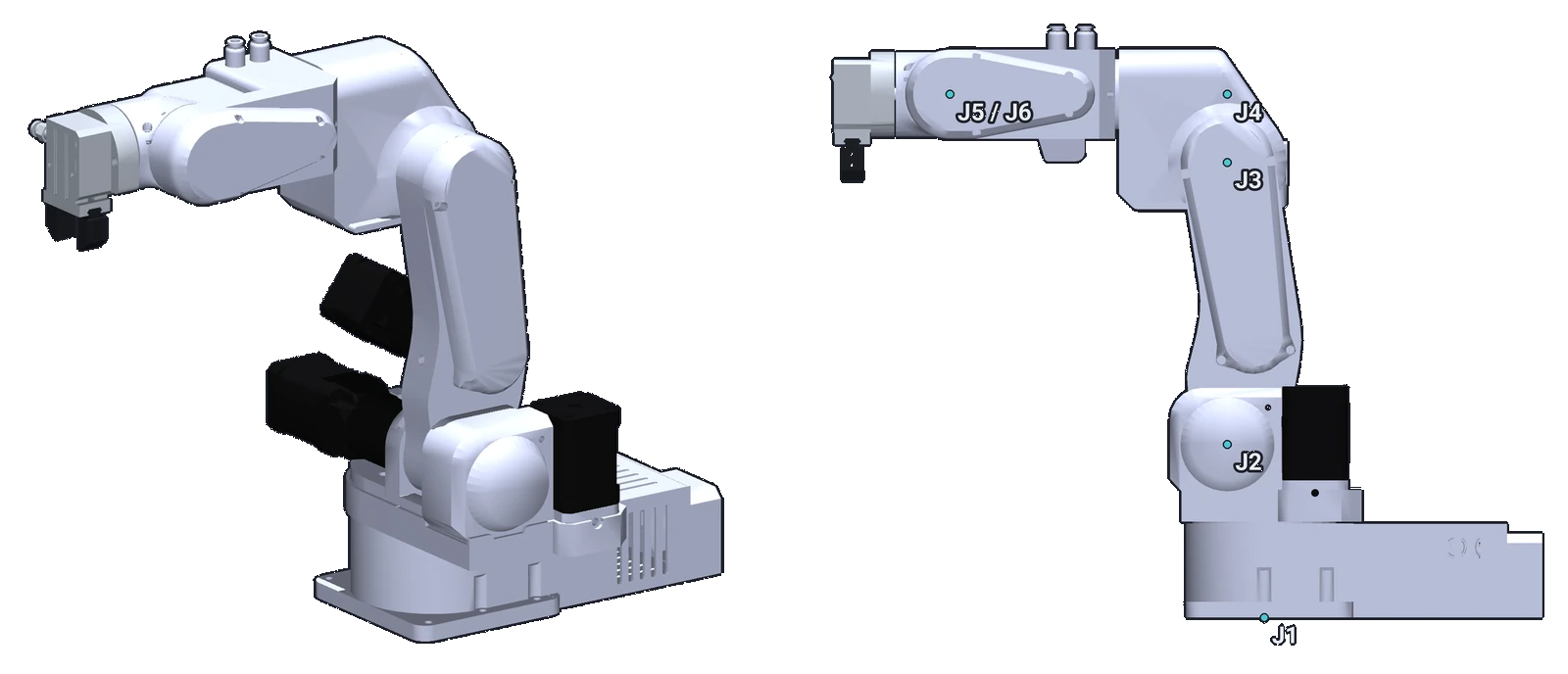
The standby pose is the pose of the Denavit-Hartenberg table and the kinematics sheets, and the reference for the limits below: the upper arm vertical, the forearm horizontal, the arm pointing away from the electronics case at the back of the base. After homing the robot stands in the same pose turned 90° about joint 1, counter-clockwise seen from above: the firmware sets joint 1 to +90° when it finishes homing.
| Pose | Joint 1 | Joint 2 | Joint 3 | Joint 4 | Joint 5 | Joint 6 |
|---|---|---|---|---|---|---|
| Standby | 0° | −90° | 180° | 0° | 0° | 180° |
| After homing | 90° | −90° | 180° | 0° | 0° | 180° |
The Python API calls the after-homing pose its standby (STANDBY_ANGLES_DEG), and a later home() moves
there; the commander software's standby is the standby pose above.
Limits
The joint limits of PAROL6's model in robot_descriptions (version 2.15.1), in degrees, in the angles the software shows (the standby pose above).
| Joint | Negative limit | Standby | Positive limit | Range |
|---|---|---|---|---|
| J1 | −97.40° | 0° | +97.40° | 194.8° |
| J2 | −146.15° | −90° | −32.70° | 113.4° |
| J3 | 105.52° | 180° | 294.59° | 189.1° |
| J4 | −114.59° | 0° | +114.59° | 229.2° |
| J5 | −120.32° | 0° | +120.32° | 240.6° |
| J6 | none | 180° | none | no limit with the bare flange; with a tool, its cables and tubes set it |
The firmware and the software still use the earlier limits
Firmware 1, the commander software and the Python API (0.9.1) enforce the limits of the earlier model until they are updated: J1 ±123.05°, J2 −145.01° to −3.38°, J3 107.87° to 287.87°, J4 ±105.47°, J5 ±90°, J6 0° to 360°. A target between the two is accepted by them; keep to the table above. Before homing they apply these limits to a position count that starts at 0 at power-up, so joint 2 cannot be jogged in its positive direction, nor joints 3 and 6 in their negative one, until the robot is homed (Jogging).
Joints 1 to 5 are stopped at both ends by printed blocker parts, the mechanical stops a little past the limits above. The limit switch or sensor that homes a joint sits near its blocker, so that it triggers just before the joint reaches it. Joint 6 has no blocker: with the bare flange nothing stops it, and with a tool only the tool's cables and tubes do.
Grippers and bases change the limits
A gripper changes where joint 5 can go without colliding with the forearm, and a riser under the base changes what joint 2 can reach. The software limits do not know about either: check the real clearances with a slow jog before you run a program near a limit.
The limits are not a safety function
The limits only stop the software from commanding a joint further. Inside them the arm can still hit a person, the table or itself, no safety-rated part checks them, and a wrong homing shifts them with it. They protect the robot's cables and parts, not the people near it (Safety).
Never more than one turn, except joint 6
No joint may ever be turned more than one full turn, by hand or by software: the cables and pneumatic tubes that pass through the joints wrap and tear. The one exception is joint 6: with the bare flange it can turn without limit; with a gripper or a tool, the tool's cables and tubes wrap as it turns, and they set how far it may go (Moving the robot by hand).
Comments
Found a mistake on this page? Edit it on GitHub · Report it · Get help · This page as Markdown · llms.txt · The whole manual as PDF