MSG compliant AI stepper gripper
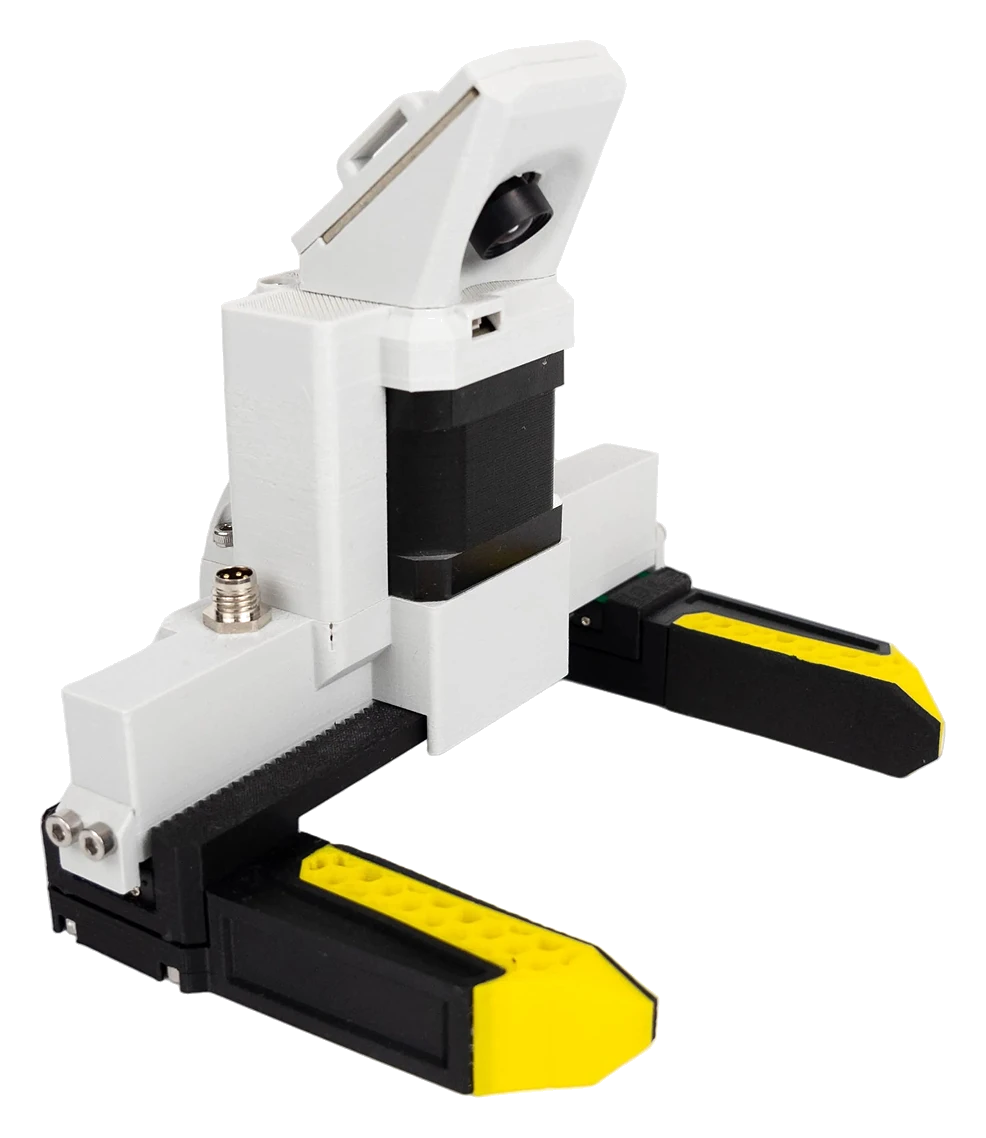
Source Robotics' modular stepper gripper: a STEPFOC driver in gripper mode, three rail lengths, three stepper lengths and a camera mount. It plugs into the M8 connector at the forearm and the control board drives it over CAN with the same commands as the SSG-48. Its own manual, MSG-gripper-docs, covers the gripper; this page covers PAROL6.
| Stroke | 55, 105 or 155 mm, with the 100, 150 or 200 mm rail |
| Grip force | about 20, 25 or 36 N per ampere with the 21.5, 40 or 60 mm stepper; up to about 31, 50 or 76 N |
| Mass | about 380 g plus the camera: mind the payload at full reach |
| Shop | MSG gripper |
Mounting
- Replace the gripper's
ring_coverwithring_cover-PAROL6from the repository'sCommon parts: it bolts to the robot's last joint, and the coupler plate's shaft coupler (8 mm bore, two M4 clamp screws) takes the joint 6 shaft (Mounting on a robot). - Slide the gripper onto the shaft, orient it with the camera looking down between the jaws, and tighten the two clamp screws with blue threadlocker (Couplers and threadlocker).
- Connect the PAROL6 gripper cable between the gripper and the M8 connector at the forearm.
- The camera is a plain USB camera with its own cable: route it outside the arm, with slack for joints 4, 5 and 6, and fix it so the arm cannot catch it.
Only the PAROL6 cable
PAROL6 and PAR6 put the four signals on different pins. The PAR6 cable, or a self-made cable with a wrong pin, puts 24 V on the CAN pins and destroys the gripper's driver. The gripper manual's cable page has the pinout to check your own against.
Leave the gripper's CAN node ID at 0 and its termination switch, reachable through the stepper cover, on: it is the last node on the robot's bus (CAN bus).
Tool centre point
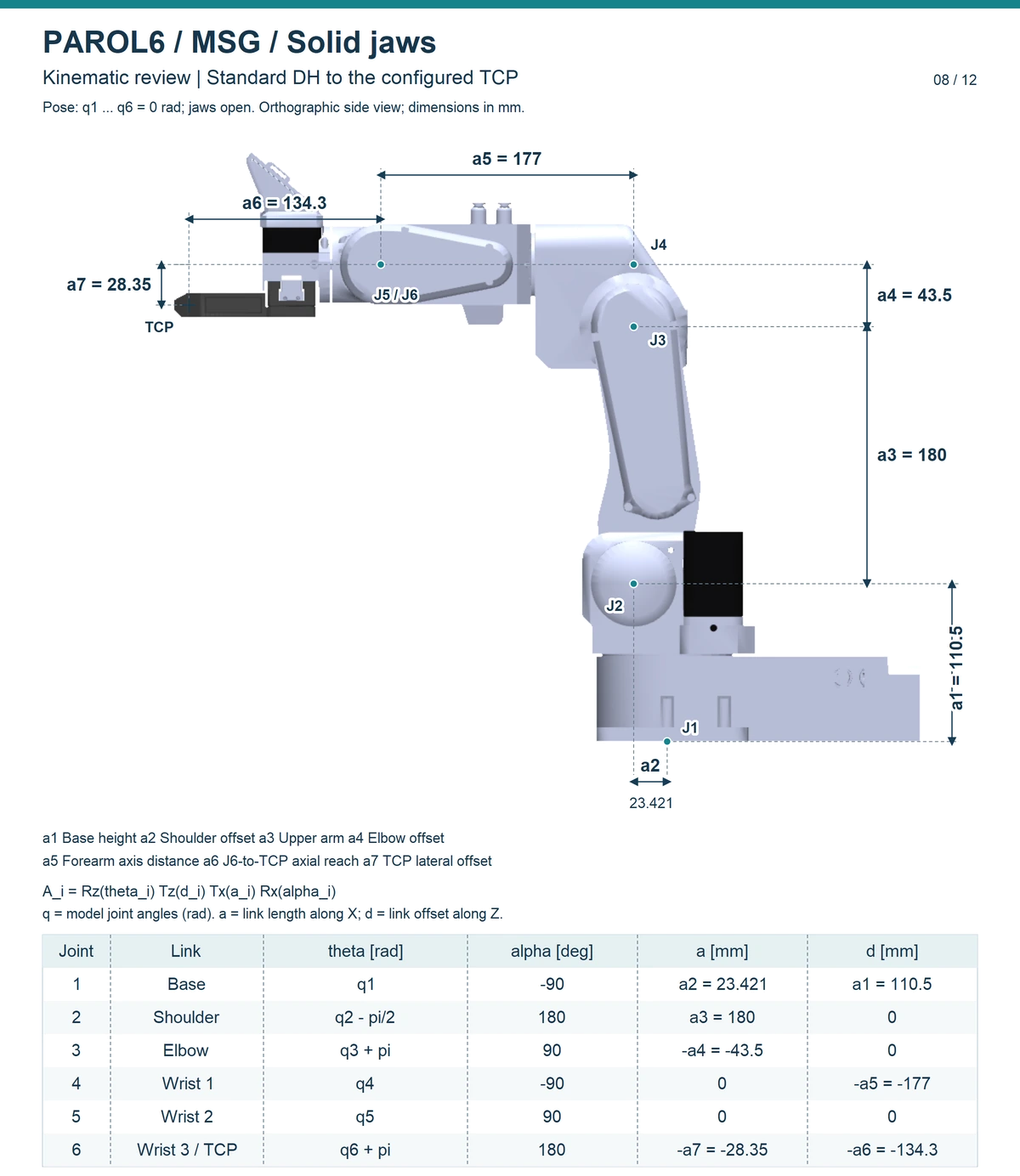
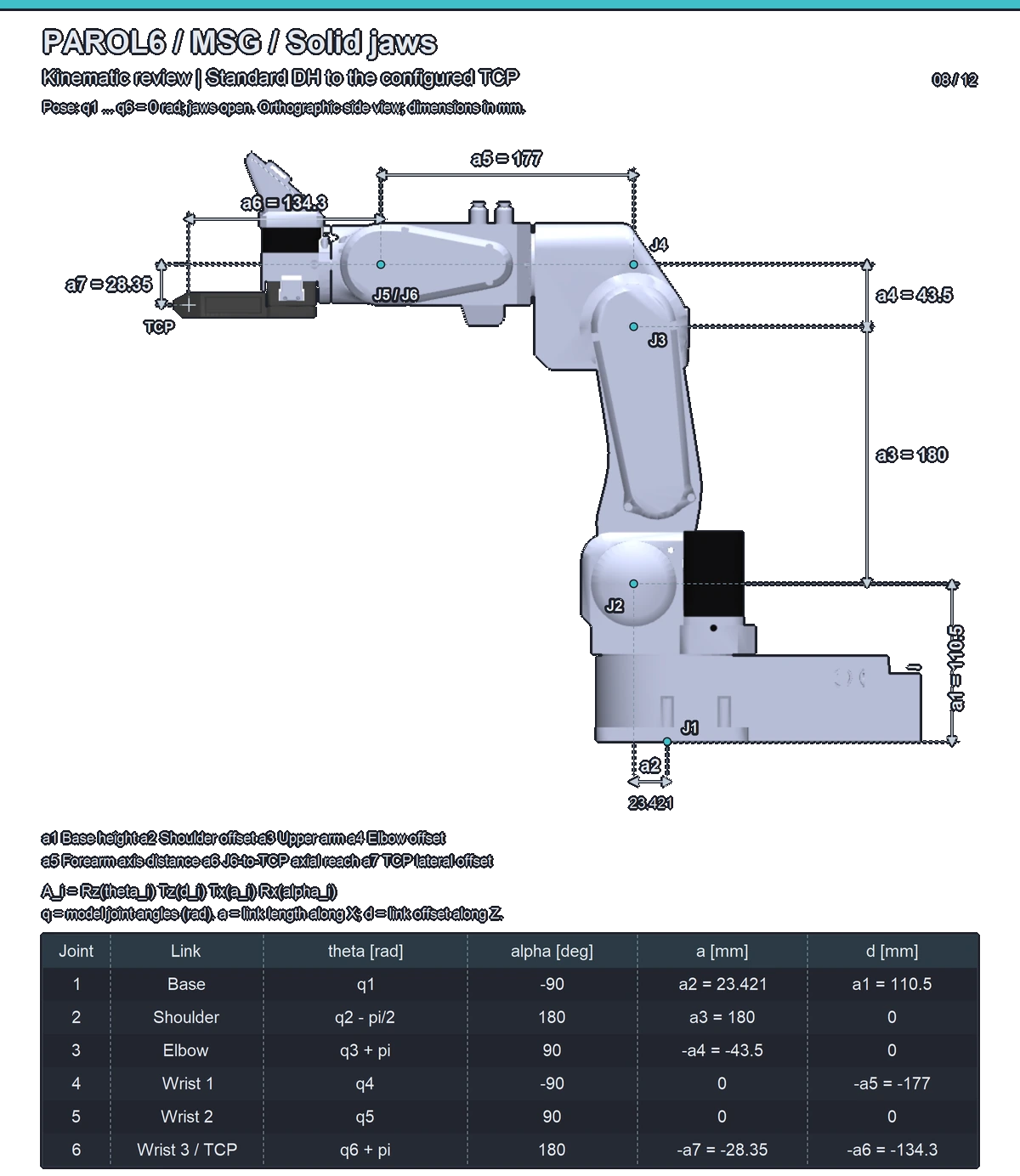
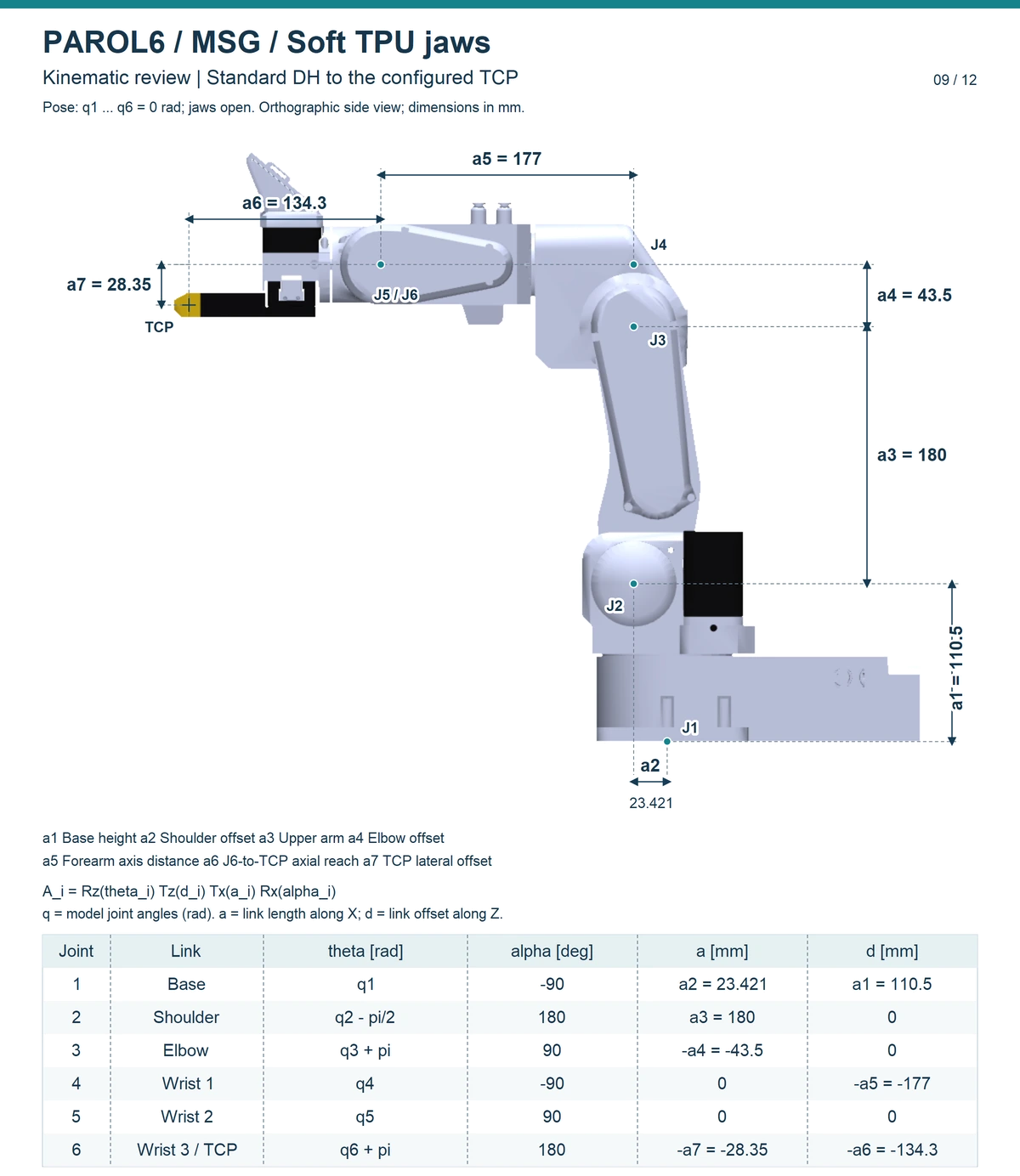
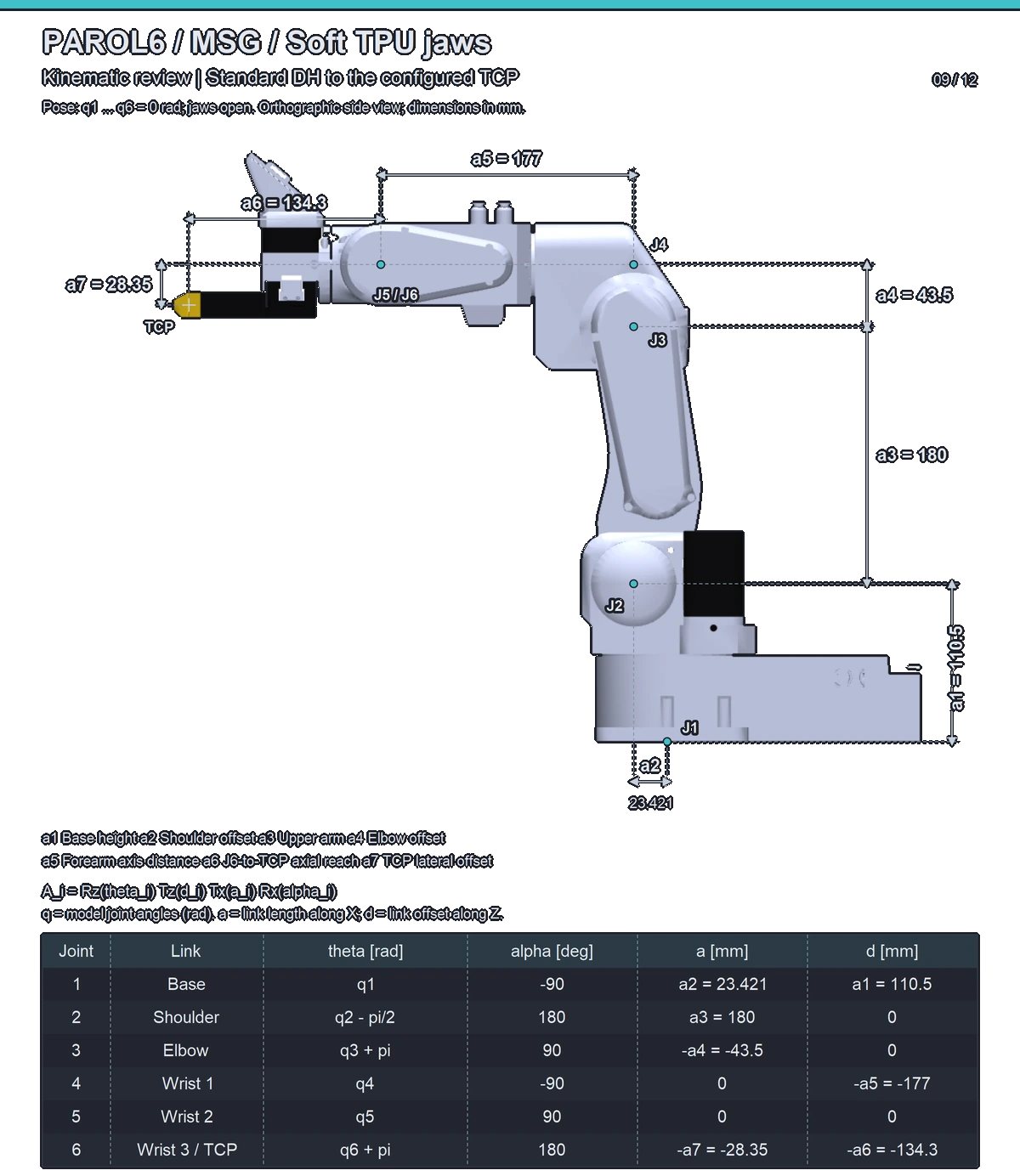
The tool centre point (TCP) is a6 = 134.3 mm from the joint 6 centre along the tool axis and a7 = 28.35 mm to the side. Both jaw variants share one TCP: an operating point, not a measured grasp centre. The sheet is the robot's model from robot_descriptions (version 2.15.1) with every joint at 0. Tell the software about the tool (Tools and the TCP); every tool is compared on Dimensions and kinematics.
The joint 5 homing offset
Joint 5 homes against the tool, and the MSG's ring cover is not the pneumatic gripper holder that the firmware's
default offset (8900) assumes. After the first homing, check joint 5 with the pin through the witness marks; if
it is off, measure the offset and set j5_homing_offset in main.cpp as Mastering
describes.
Driving it
The gripper must be calibrated after every power-up: it opens fully and closes fully to find its end stops, and does not move before that. Clear any error first, then calibrate, then wait until the gripper reports itself calibrated before the first move: about 5 to 6 s on the longer rails.
The Gripper tab: after homing the robot press Clear gripper error, then Calibrate gripper, and
wait until the tab shows Calibration status is: 1. Then set position, speed and current with the sliders
and press Move GoTo. The feedback section shows the current, the position and the status
(The GUI). In RBTscript, after clearing the error in the tab:
Gripper_cal(), Delay(7), then Gripper(position, speed, current)
(RBTscript).
rbt.select_tool("MSG", variant_key="150mm")           # 100mm, 150mm or 200mm: the rail
rbt.tool.calibrate()                                   # queued; the API counts it done after 2 s
rbt.delay(5)                                           # the rest of the calibration, with a margin
rbt.tool.set_position(0.8, speed=0.5, current=0.4)     # fractions of the ranges; 0.4 is 1180 mA
rbt.tool.close(current=0.4)
rbt.tool.open()
rbt.tool.release()                                     # drop the grip, the jaws stay
rbt.tool.stop()                                        # immediate: halt where the jaws are
close() waits for the grip; a move on a gripper
that was never calibrated is refused when its turn comes. The API does not read the calibrated bit and has
no clear-error action at this version: clear an error in the commander's Gripper tab or with Motor GUI
(Tools and the TCP,
Tools).
Current and force
The current limit is the grip force, and the slope depends on the stepper: about 20 N per ampere with the 21.5 mm stepper, 25 with the 40 mm, 36 with the 60 mm. Stay within the stepper's maximum, 1.5 A, 2.0 A or 2.1 A. The gripper manual's Force and speed has the curves.
The commander takes the current in milliamps, 100 to 1000 mA, which is within every stepper's maximum. The Python API takes it as a fraction of 100 to 2800 mA, a range above every stepper's maximum, so keep the fraction at or below the value for your stepper:
| Stepper | Maximum current | Highest current= fraction |
|---|---|---|
| 21.5 mm | 1.5 A | 0.51 |
| 40 mm | 2.0 A | 0.70 |
| 60 mm | 2.1 A | 0.74 |
Status
The robot passes the gripper's status byte through: calibrated, in motion, object detected (while closing, while
opening, or none), and its error bits. The commander's Gripper tab shows the calibrated and E-stop error
bits, and the whole status byte as a number (labelled Gripper object detection is). The Python API's tool.status() gives the jaw position and the current; its
engaged and part_detected do not follow the status byte's bits at this version
(Tool status). The gripper manual's errors page says
what each error needs: Errors and recovery.
Comments
Found a mistake on this page? Edit it on GitHub · Report it · Get help · This page as Markdown · llms.txt · The whole manual as PDF