What you need
The gripper
The MSG gripper is sold assembled, calibrated and configured in the Source Robotics shop, in the rail and stepper combination you choose, in black or grey. It ships with the current STEPFOC firmware and the bootloader installed, its driver in gripper mode and its stepper calibrated; the gripper calibration (finding the end stops) runs after every power-up and is part of normal use.
Or build it. The MSG is open source, and that is important to us: the CAD and print files, the bill of materials, the assembly video, the firmware and the software are all published. The build guide is the order to do it in.
What is in the box
The gripper, assembled, calibrated and configured, in the rail, stepper and colour you ordered, with the camera module when ordered. Not in the box: the jaws, which you print from the repository or buy in the shop; the cable, sold separately; a CAN adapter for a PC.
A cable and a 24 V supply
The gripper is powered and controlled through one M8 4-pin cable: 24 V, GND, CANH, CANL.
| Where the gripper goes | Cable |
|---|---|
| PAROL6 | the PAROL6 gripper cable from the shop |
| PAR6 | the PAR6 gripper cable (the shop; coming soon), wired differently from the PAROL6 one |
| a bench, or your own robot | a cable you make from an M8 4-pin connector and four wires, see The cable |
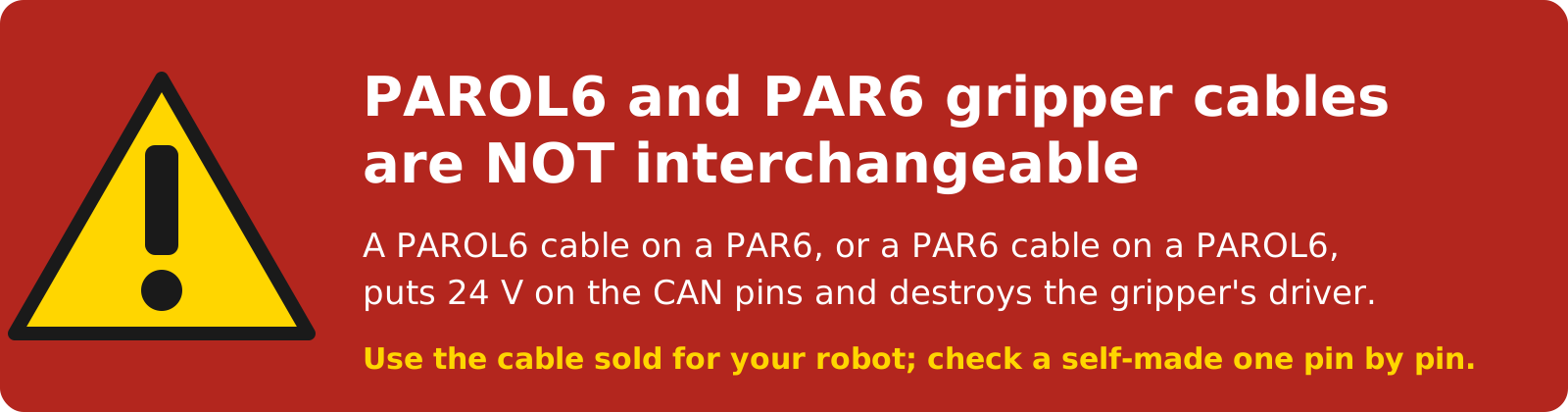
The two robot cables differ
PAROL6 and PAR6 put the four signals on different pins. A cable for the wrong robot, or a self-made cable with a wrong pin, puts 24 V where the CAN bus belongs and destroys the gripper's driver. Check the pinout before you plug in a cable for the first time.
On the bench, a 24 V supply with a current limit (2 A is plenty for one gripper) is the safest source.
A CAN interface
The gripper talks CAN. On a robot, the robot's control board provides the bus. On a PC, the
CANvas USB-to-CAN adapter does; it shows up as a
serial port and works with Motor GUI, the Python library and the ROS 2 driver. Any adapter that python-can supports works
with the library.
Software
- Motor GUI, motorgui.com, in the browser over the CANvas adapter: the recommended tool to test and set up a gripper, with a gripper panel for the MSG and the SSG-48; see Motor GUI. The earlier SSG-gripper-GUI, a Python program, is legacy.
- Python:
pip install Spectral-BLDC, the library the ROS 2 driver is built on; see With Python. - ROS 2: the msg_gripper_ros2 package; see With ROS 2.
- PAROL6 and PAR6: the robots' own software drives the gripper; see On PAROL6 and PAR6.
- For a self-built gripper: a 3.3 V USB-to-serial adapter (serial adapter) for the driver's UART port, to configure the driver with Motor GUI or a terminal; see Driver configuration. For a self-build we recommend the STEPFOC starter kit: it has this adapter and the rest of what the driver's setup needs (Kits and the shop).
Optional
- Jaws for your objects: the printed jaws in the repository (solid, hollow, or with a TPU pad), sponge tape for the gripping faces, or your own design; see Jaws.
- A camera: an OV9732 USB module for the camera mount; see Variants.
Comments
Found a mistake on this page? Edit it on GitHub · Report it · Get help · This page as Markdown · llms.txt · The whole manual as PDF