Power and the CAN daisy chain
Each driver has two power connectors (JST XH) and two CAN connectors (JST ZH). The second connector of each pair feeds the next driver, so a chain of drivers hangs on one supply cable and one CAN cable.
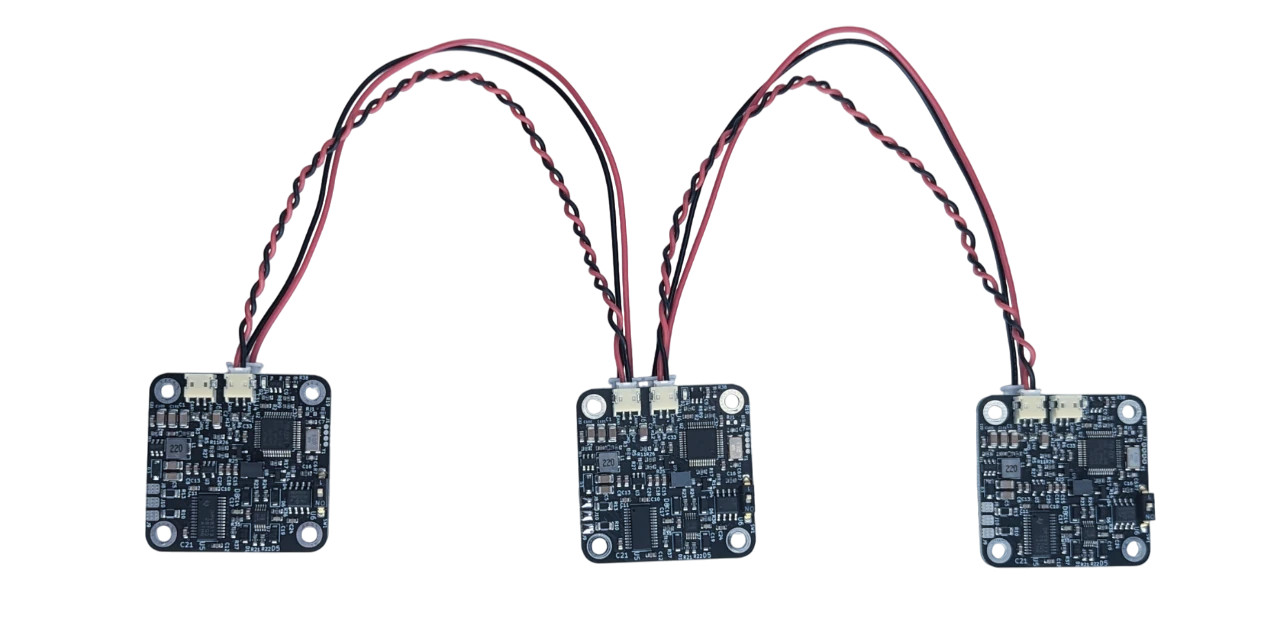
Power
- 12 to 29 V DC, 24 V recommended. DC+ to the positive supply, DC− to the negative; reversed polarity destroys the driver.
- The power connectors are rated for 4 A. A chain of drivers shares that: with motors at 1.5 A each, plan for at most two or three drivers per chain that draw their full current at the same time, and feed a longer chain from both ends or from several supplies.
- A motor that decelerates pushes energy back into the supply. A lab supply or a battery absorbs it; a supply that
cannot (some switch-mode supplies) sees its voltage rise, and the driver raises a Vbus error above 29 V
(
#Vmax).
The cable orientation
Danger
The daisy-chain cables are keyed by their orientation, not by the connector: the same 2-pin cable fits both ways, and the wrong way puts DC+ on DC−. Every cable must run as in the picture below, the same way at both ends. A wrong cable destroys the driver at the moment it is powered.
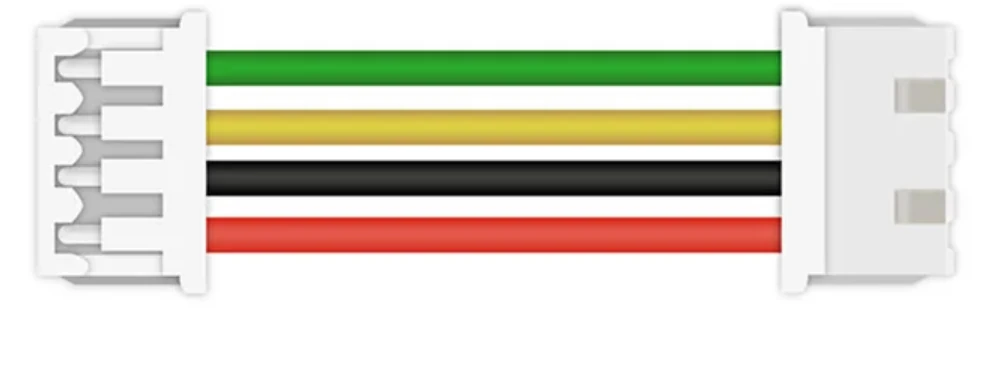
The cables from the shop are made this way: CAN cable, power cable, and all of them under connectors and cables.
CAN
- CAN 2.0, 1 Mbit/s, 11-bit identifiers. Up to 14 drivers on one bus, each with its own node ID, 0 to 13 (0 by default;
set it with
#CANIDor Send_CAN_ID and save). The firmware accepts 14 and 15 too, but the bootloader reserves them: a driver on one of those IDs cannot be updated over CAN. - Twisted-pair wire; keep the bus short at 1 Mbit/s (a few metres at most).
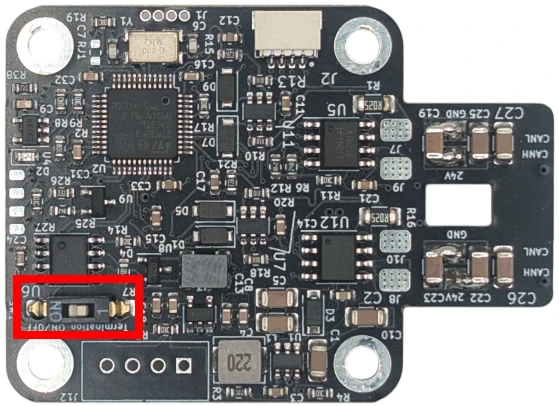
- Termination: the first and the last node on the bus need a 120 Ω resistor between CAN H and CAN L. The switch next to the CAN connectors turns the driver's resistor on (ON). Drivers in the middle stay off. A bus with the right termination measures about 60 Ω between CAN H and CAN L with everything unpowered.
- A PC joins the bus with the CANvas adapter, which has its own termination.
Comments
Found a mistake on this page? Edit it on GitHub · Report it · Get help · This page as Markdown · llms.txt · The whole manual as PDF