5. Stepper drivers
The board takes six TMC5160 driver modules in the StepStick format, configured over SPI by the firmware.
Orientation
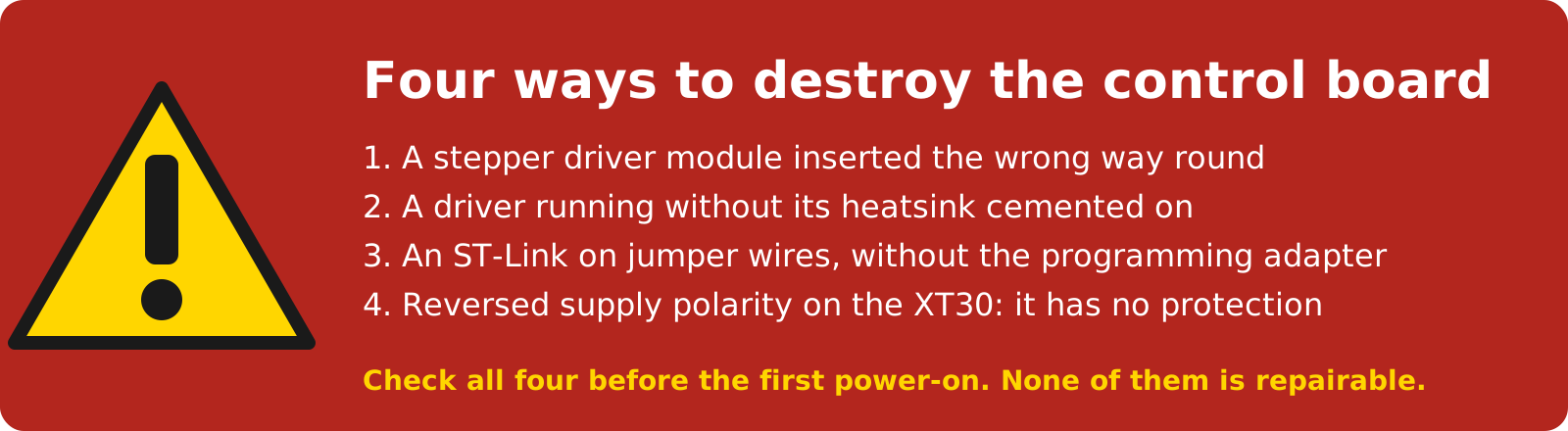
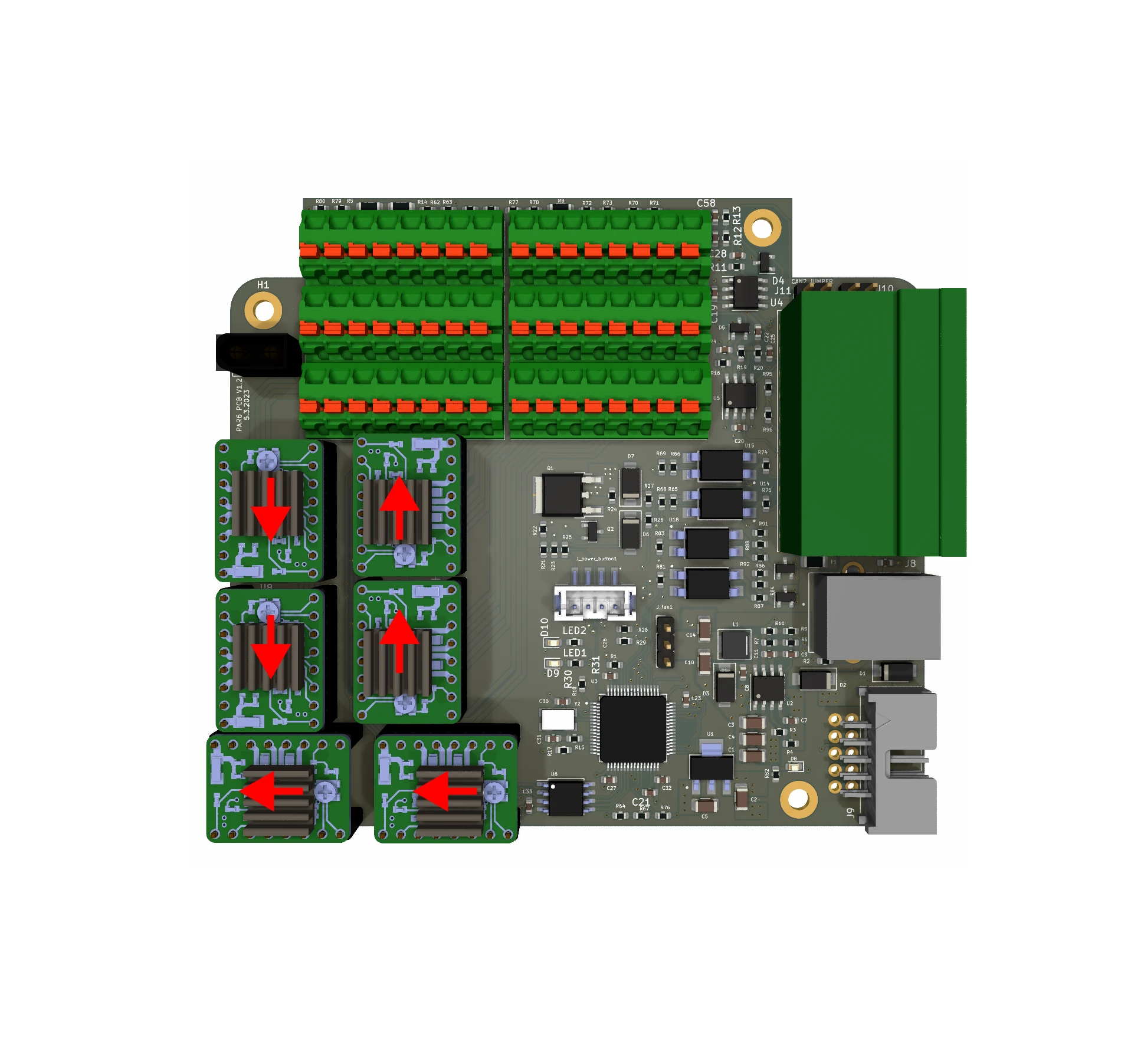
A driver module inserted the wrong way round destroys the board the moment power is applied, permanently. The orientation is given by the two DIAG pins: they must point at the red arrows in the figure. Check all six before every power-on after the drivers were touched.
Which drivers
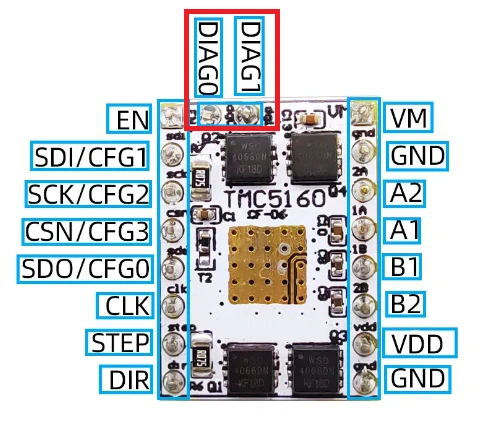
Only the TMC5160 modules listed in the BOM are tested; a board bought with drivers has them fitted. A module from elsewhere must have the pinout in the figure, and:
- Remove the two DIAG pins if they are soldered: the capacitors on the board are in their way and the module will not seat.
- Cement the heatsink to the driver with thermal cement (not paste, not tape); a driver without a bonded heatsink overheats and fails, and takes the board with it.
Current
The firmware sets each driver's running and holding current for its joint (Currents and temperatures and Firmware parameters). The modules' potentiometer, if they have one, is not used.
Cooling
The fan over the heatsinks must run whenever the motors are energised. A driver that gets too hot shuts its outputs down and its joint goes limp, and firmware 1 does not tell the PC; in PAROL6's base with the fan they stay far below that.
Checking a driver
The test firmware reads every driver over SPI about three seconds after power-on and prints whether it answers
(joint N Connection is: GOOD or BAD) with its currents and fault flags, then turns every motor slowly
(The test firmware). A driver that does not answer is not seated, dead, or in the wrong
slot.
Comments
Found a mistake on this page? Edit it on GitHub · Report it · Get help · This page as Markdown · llms.txt · The whole manual as PDF