Installing the bootloader on an older board
A driver running release 103 or older from the main branch has no bootloader: its firmware starts at the
beginning of the flash. A driver that reports 103 may have the bootloader all the same; check first, as in
Drivers that report 103. To
run any release from 105 on, which is linked to start above the bootloader, the bootloader must be installed
once, with a programming adapter on the JTAG connector. After that, every update goes over UART or CAN.
Warning
Disconnect the motor supply and the UART adapter before connecting the programming adapter. The adapter powers the board at 3.3 V.
What you need
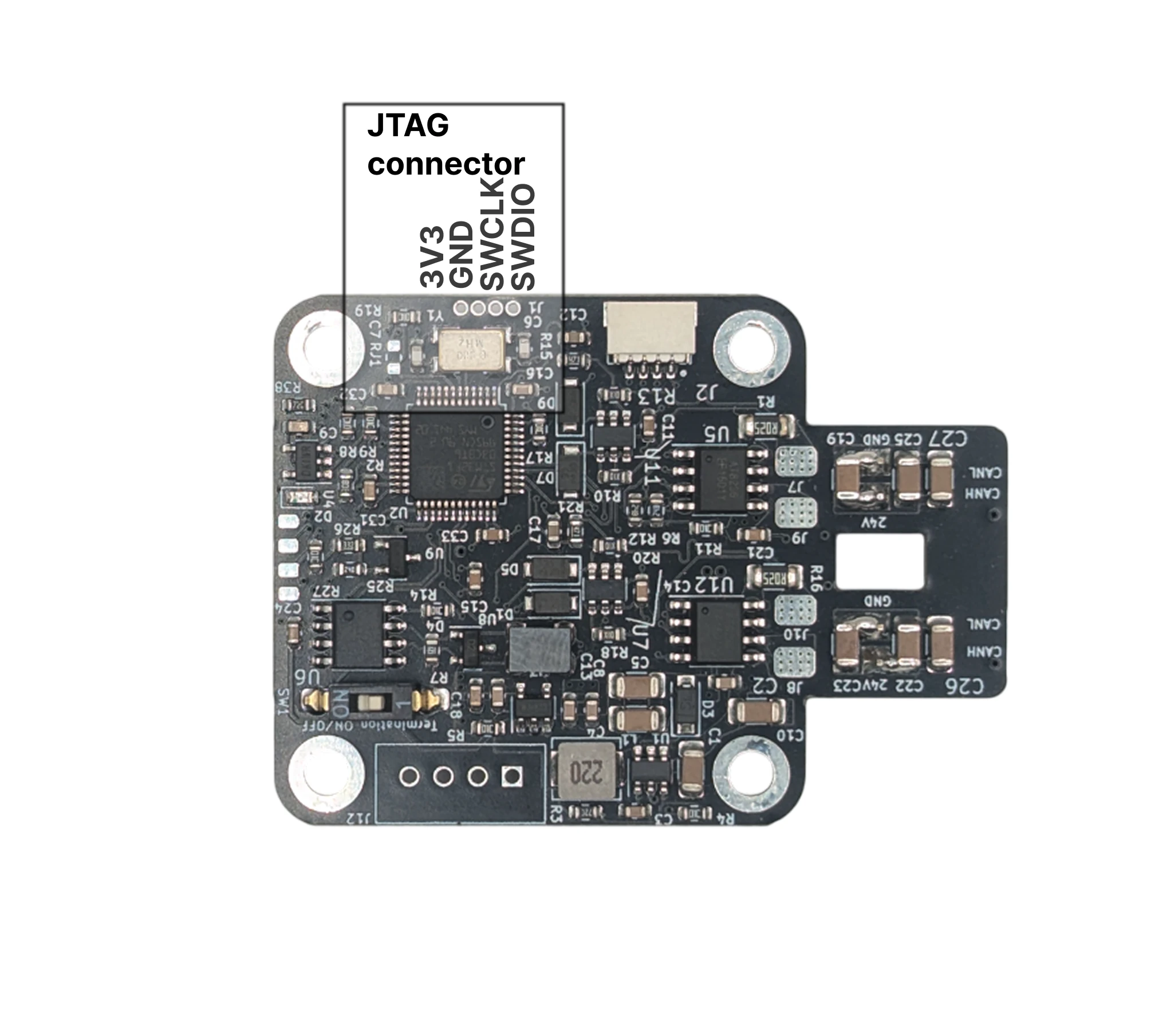
- The programming adapter (an ST-LINK with the 1.27 mm pogo-pin adapter for the JTAG pads), or any ST-LINK, J-Link or OpenOCD-compatible probe wired to 3.3 V, GND, SWDIO and SWCLK.
- STM32CubeProgrammer or the older STM32 ST-LINK Utility on the PC, with the ST-LINK drivers.
- The bootloader binary from the bootloader repository's
bin/folder; itsREADME.mdnames the current file.
STM32CubeProgrammer or the ST-LINK Utility, and the ST-LINK USB driver (STSW-LINK009) for the adapter.
STM32CubeProgrammer; the ST-LINK Utility runs on Windows only. The adapter needs no driver, but your user
needs access to its USB device: install the udev rules that come with STM32CubeProgrammer, or run it with
sudo.
STM32CubeProgrammer; the ST-LINK Utility runs on Windows only. The adapter needs no driver.
Steps
- Connect the adapter to the JTAG pads and the PC.
- In the programmer, connect to the target (SWD). The STM32F103CB shows up with 128 KB of flash.
- Erase the chip, or at least the application region: the old firmware and the bootloader must not overlap.
- Program the bootloader binary at address
0x08000000. - Disconnect the adapter, power the driver. The bootloader finds no valid application and waits in bootloader mode, with the LED blinking.
- Flash the firmware release through the bootloader, over UART or CAN, as in Updating through the bootloader.
#Infoshows the new release.#Default, enter the motor parameters, calibrate,#Save.
Check
#Info prints the release you flashed, and a driver powered up while bl_flash.py list or Motor GUI's
Scan bootloaders is polling answers in its first two seconds: the bootloader is there. If the firmware does
not start, see Updating through the bootloader: when it fails.
Memory layout
0x08000000–0x080022FF bootloader, 0x08002C00 its configuration page (board ID, the application's CRC),
0x08003000–0x0801FFFF the application (116 KB). The bootloader keeps a magic value in RAM to hand over
to the application in about 10 ms on a normal boot.
The programmer's settings
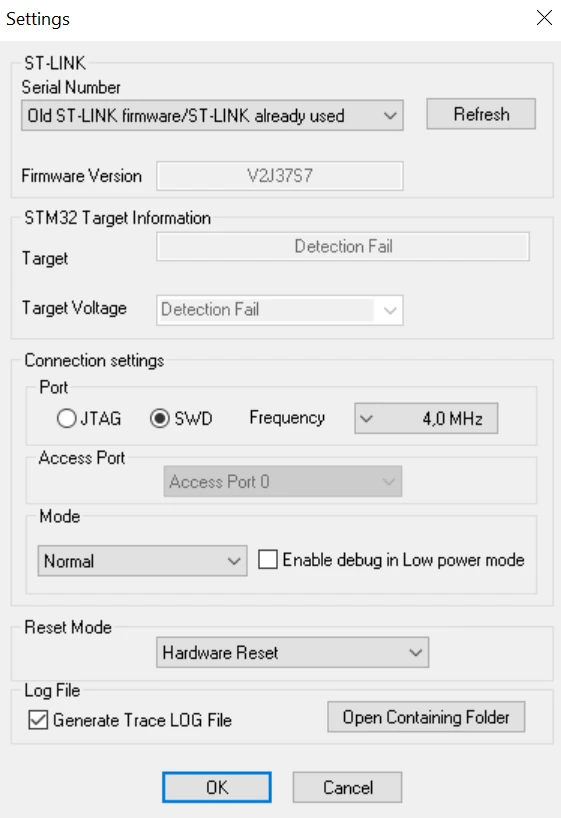
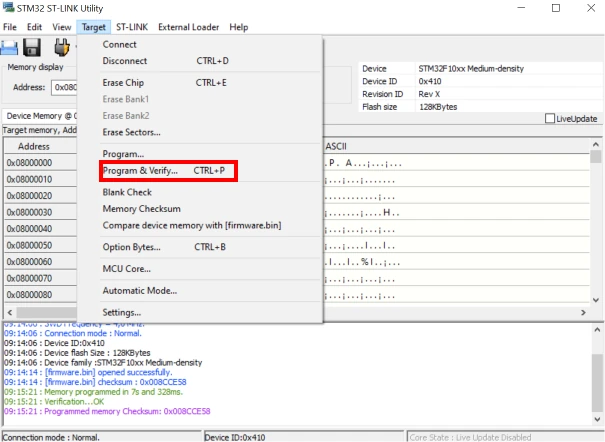
In ST-LINK Utility, Target → Settings with SWD and the default frequency works; Target → Program & Verify
with the start address 0x08000000. The pictures of the old flashing procedure apply to the connection and the
settings dialog:
| Settings | Programming |
|---|---|
 |
 |
The same adapter uploads a firmware you build yourself, see Building from source.
Comments
Found a mistake on this page? Edit it on GitHub · Report it · Get help · This page as Markdown · llms.txt · The whole manual as PDF