Pose and orientation
A pose is a position and an orientation together: where the tool is and which way it points. Six numbers:
x, y, z in millimetres and three angles in degrees, [x, y, z, Rx, Ry, Rz], in the frame you name, the WRF
unless you say TRF.
Position
The tool centre point's coordinates in the frame. For the standard pneumatic gripper the TCP is between the finger tips; for a selected tool in the API it is the tool's registered point, moved by any offset you set.
Orientation
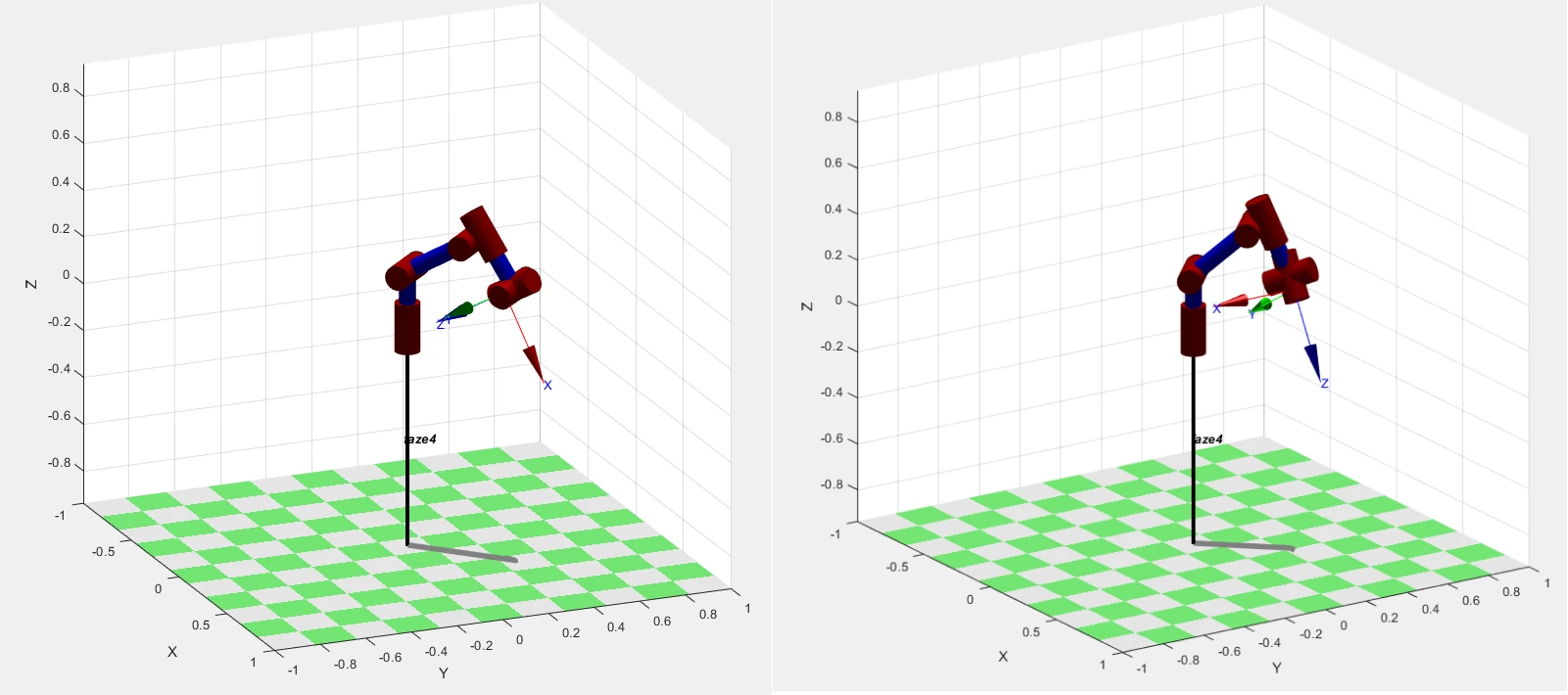
Three angles describe how the tool frame is rotated relative to the reference frame. There are many conventions;
PAROL6's software uses roll, pitch and yaw as rotations about X, Y and Z, which is what the commander shows
as Rx, Ry, Rz and what the API's pose() returns and its motion commands take. The API's set_tcp_transform()
takes its angles as intrinsic XYZ rotations, Rx · Ry · Rz; its collision shapes take extrinsic XYZ in radians.
When a pose from one program goes into another, check the convention before trusting the numbers.
The same position can be reached with many orientations, and the orientation is what a program usually gets
wrong first: a few degrees off puts a finger into the table. The Python API examples on this site use
[90, 0, 90], the orientation the tool has after homing: horizontal, pointing forward, away from the base. A
tool pointing down at the table has other angles; jog it there and read them.
Reading a pose from the robot
Jog to where you want to be and read the pose: the commander's position display, or rbt.pose(). That is how
poses are taught. A taught pose contains the tool's transform: taught with one tool, it is wrong for another.
Rotating about several axes
A rotation about X followed by one about Y is not the same as Y then X, and three angles at once are hard to predict. Rotate about one axis per command when you can, especially in the tool frame:
Comments
Found a mistake on this page? Edit it on GitHub · Report it · Get help · This page as Markdown · llms.txt · The whole manual as PDF